Medium Custom Domain Feature Returns|Boost Your Domain Authority with Ease
Struggling to grow your Domain Authority? Leverage Medium's restored custom domain feature to seamlessly enhance your brand presence and improve SEO performance for sustained organic traffic growth.
点击这里查看本文章简体中文版本。
點擊這裡查看本文章正體中文版本。
This post was translated with AI assistance — let me know if anything sounds off!
Table of Contents
Medium Custom Domain Feature Returns
Build Your Own Domain Authority!
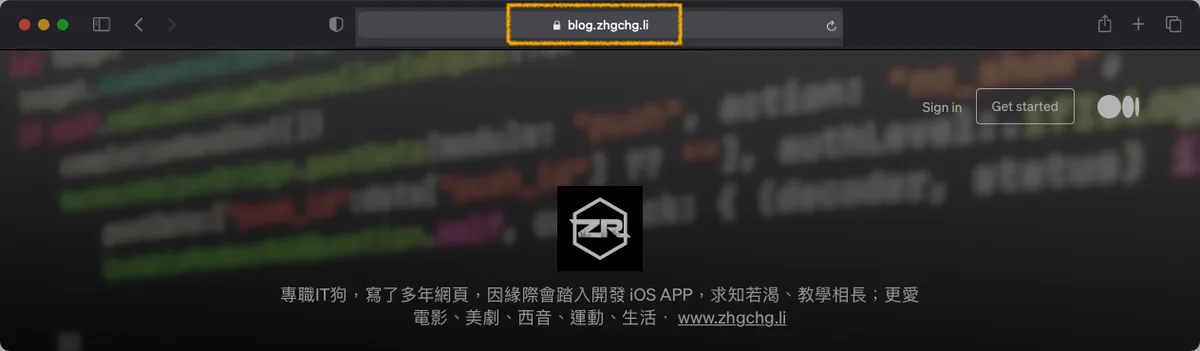
[2024/07/28] Feature Returns
{:target="_blank"}](/assets/d9a95d4224ea/1*jKAJ3wl5Zlo_0NZRgUUehA.webp)
Setting up a custom domain for your profile or publication
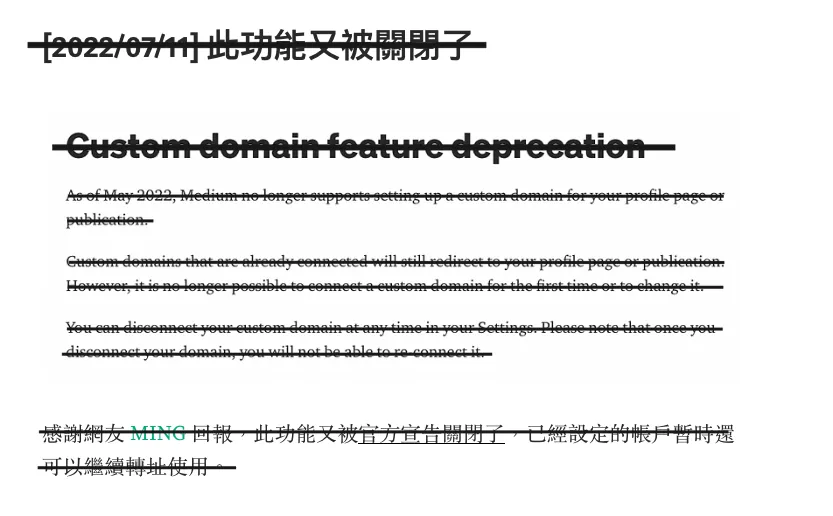
This feature has had a bumpy history: it was first launched in 2012, then closed; reopened in 2021, announced closed again in 2022; and now in 2024, it’s back. The official documentation has been updated with complete setup steps. You can refer to the latest official guide for configuration, and also check this article for domain registration instructions: 網域註冊流程教學再參考本文內容.
Everyone should set it up quickly while it’s open, as the official team might close it again someday; already set custom domains will not be affected.
I set up https://blog.zhgchg.li back in 2021. Although the official custom domain feature was disabled in between, it still works and has been functioning properly until now.
Breaking News!
{:target="_blank"}](/assets/d9a95d4224ea/1*U47TgxAbNN7kyNQA5AB3VA.gif)
The official Medium blog announced on 2021/02/17 that Medium now allows creators to link their own custom domains again! Both creator Profile pages and Publications support this feature.
What is a “Custom Domain”
To ensure readers who are not from the IT field can understand, here is a brief explanation of what a custom domain is.
Domain is like an address in the online world. When I enter the address Medium.com, it takes me to Medium. Now creators can customize their domain, meaning they can register their desired address and link it to their Medium account to replace the original address. For example, I use blog.zhgchg.li as my address, which also directs to my Medium.
History
Research shows that this feature was available around 2012, with a one-time setup fee of $75. However, by the time I started writing on Medium (2018), the service had already been discontinued. Those who had applied before were unaffected, so sometimes when browsing Medium, you’d see a custom domain but the site is still Medium—pretty cool. I heard it was removed shortly after launch, and I guess it was for business reasons since custom domains reduce Medium’s brand recognition.
Benefits
Recognition: Custom domains offer many benefits to creators, the most direct being recognition. Instead of a medium.com/@xxxx URL, it shows your own name, e.g., zhgchg.li/
Flexibility: If you decide to leave Medium for your own website later, you can redirect the original links straight to the new site.
Domain Authority: Related to SEO rankings, you can build your domain authority through Medium, so you won’t have to start SEO from zero when moving to other platforms in the future.
Cons
- No longer enjoying the high Domain Authority SEO ranking advantage of medium.com, which may seriously affect search traffic initially.
Rules
I found that article links and share links will revert to the default medium.com URL if the article is added to a Publication that does not have a Custom domain set, nor does it use the Profile’s Domain.
My Setup
Here is one of my settings for your reference.
- Profile page: blog.zhgchg.li (I only use the subdomain
blog.zhgchg.libecause the main domain serves other purposes)
I originally set up a Publication page but later removed it because I don’t have many followers and rely heavily on traffic from search engines like Google. If the Publication page also uses a Custom Domain, the article links will use my domain, which is still new and ranks very low in search results, failing to attract traffic.
Setting only the Profile without a Publication has one advantage: the original Medium link can still be indexed by Google. Additionally, you can create another link using your own domain, achieving the best of both worlds; you won’t lose your original traffic while gradually building your domain’s Domain Authority.
Suitable Audience
Building Domain Authority from scratch requires a long period of accumulation. I think this feature is best suited for those who already have a website service (e.g., musicplayer.com). If you want to build a community, you can directly use Medium, and in that case, the domain can be used as (blog.musicplayer.com).
- Use the Medium platform directly to write articles (and the customization features are increasing), 2. The domain itself already has DA, so it won’t affect SEO much.
Pricing
Domain section:
Purchase according to your preference from Namecheap (used as an example in this article) or Godaddy. Common .com domains cost around NT$200–500 per year; prices vary based on domain extensions and length, with rare ones sometimes costing millions or even billions.
Domain registration follows a first-come, first-served policy. Unless the domain name has trademark protection in that region, it can only be reclaimed through legal means; otherwise, whoever registers it first wins. You would have to negotiate a purchase with them. This has led to a type of investment (domain squatting) where people register many domains and hold them without use, waiting for others to buy them.
Domains require annual payment or can be purchased for multiple years at once; there is no lifetime ownership. If not renewed, the domain will be released after the grace period, allowing anyone to register it again.
However, friends who want to manage Medium probably won’t encounter domain squatting issues, as most users are individuals. I registered using my online account zhgchg.li, which no one else had registered before. If by chance there is a duplicate, you can also change the suffix, such as .div, .net, etc.
The suffixes can refer to the List of Internet Top-Level Domains, but not all listed are available for registration; it depends on the regulations of the domain’s country. Also, reseller platforms (such as Namecheap, GoDaddy, etc.) may not offer domains with certain suffixes.
For example, my .li domain is from Liechtenstein. Currently, there are no identity requirements for registrants; anyone or any company can register. Also, only Namecheap still sells it.

What are the advantages of having the surname Li?
By the way, my domain spelling zhgchg.li is a type of Domain Hack; a better example is google => goo.gl.
Medium section:
The one-time $75 setup fee has been removed, and now all Medium paid members can use this feature ( $5/month or $50/year ); but I actually preferred the original one-time fee QQ; since I’m mostly a creator, I don’t really need the paid membership perks, so the monthly or yearly fee is more painful for me, and I’m starting to consider joining the paywall plan Orz.
2021/04/05 Update
What happens if you join the membership plan first, set up a custom domain, and then stop renewing the membership?
Tested: Custom domain remains valid after membership expires!
Getting Started
⭐️⭐️⭐️ The purchased domain can also be used with: Github Pages
For example, my domain:
1. https://zhgchg.li -> Used for Github Pages Jekyll Blog
2. https://blog.zhgchg.li -> Used on my Medium page
1. Purchase & Obtain a Domain Name (Using Namecheap as an example)
First, go to the Namecheap homepage and search for your preferred domain name:
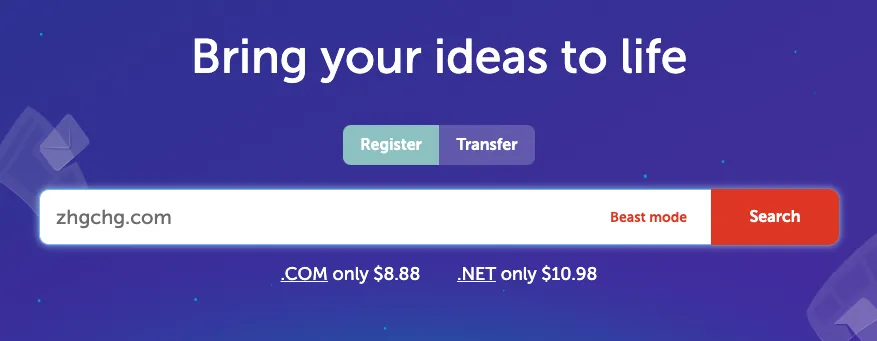
Get search results:

The button on the right showing “Add To Cart” means the domain is still available and can be added to the cart for purchase.
If the button on the right shows “Make offer” or “Taken,” it means the domain is already registered. Please choose a different extension or try another domain name:

After adding to the cart, click the “Checkout” button below.

Go to the order confirmation page:
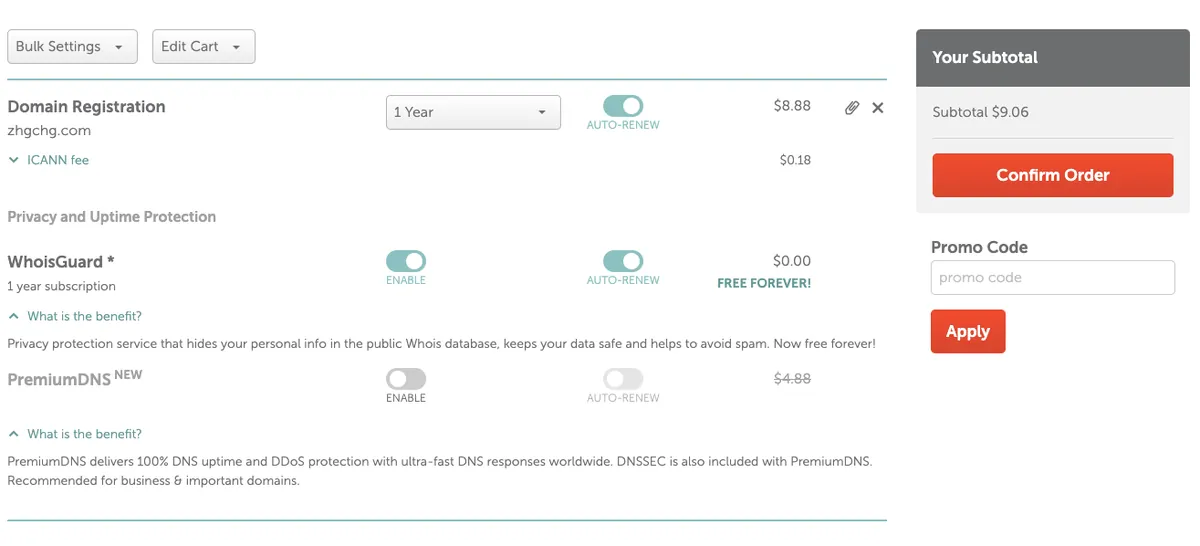
Domain Registration: Here you can choose
AUTO-RENEWfor automatic annual renewal, or select a one-time purchase for multiple years.WhoisGuard: Since domain information is publicly accessible to anyone (registration date, expiration date, registrant, contact details), this feature replaces your personal registrant and contact info with Namecheap’s, preventing spam messages.
(This feature may cost extra for some domain extensions; if it’s free, use it!)
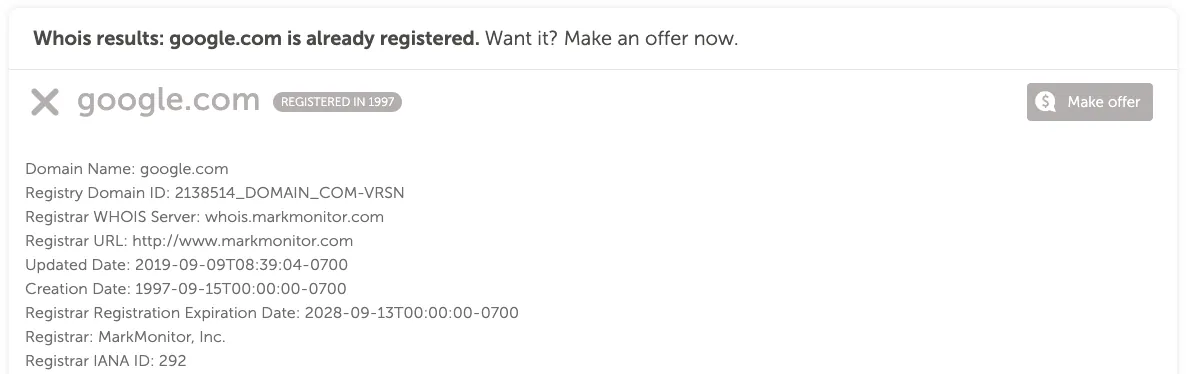
Here is some WHOIS information for google.com, which you can check here.
- PremiumDNS: We know a domain name is like an address plate, meaning people look at it to find the location; this feature provides a more stable and secure “location finding” function. I think it’s unnecessary unless it’s a high-traffic e-commerce site where no errors are allowed.
Enter your credit card information and click “Confirm Order”
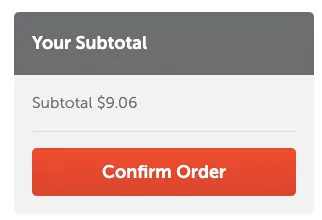
Then the purchase is successful!
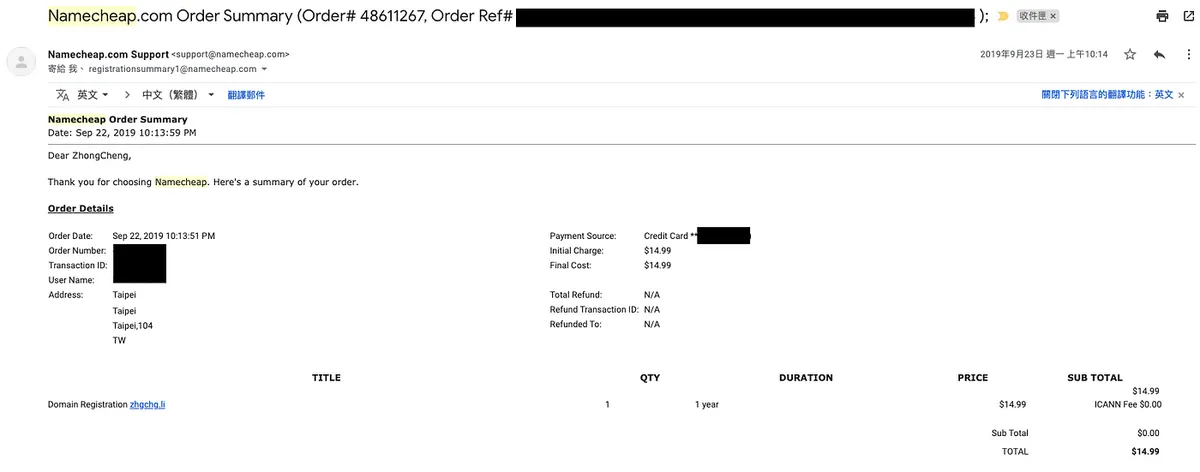
You will receive an order confirmation email.
2. Setting up the Domain (Using Namecheap as an example)
After logging in, click your account at the top left -> “Dashboard”
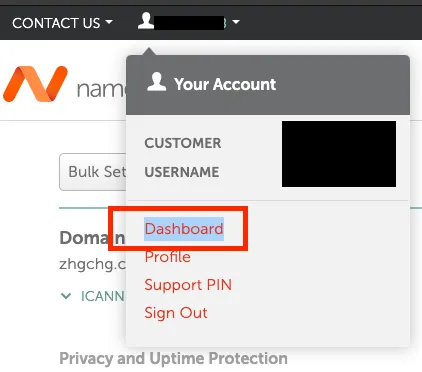
After entering the Dashboard, switch to the Domain List tab, find the domain you just purchased, and click Manage.
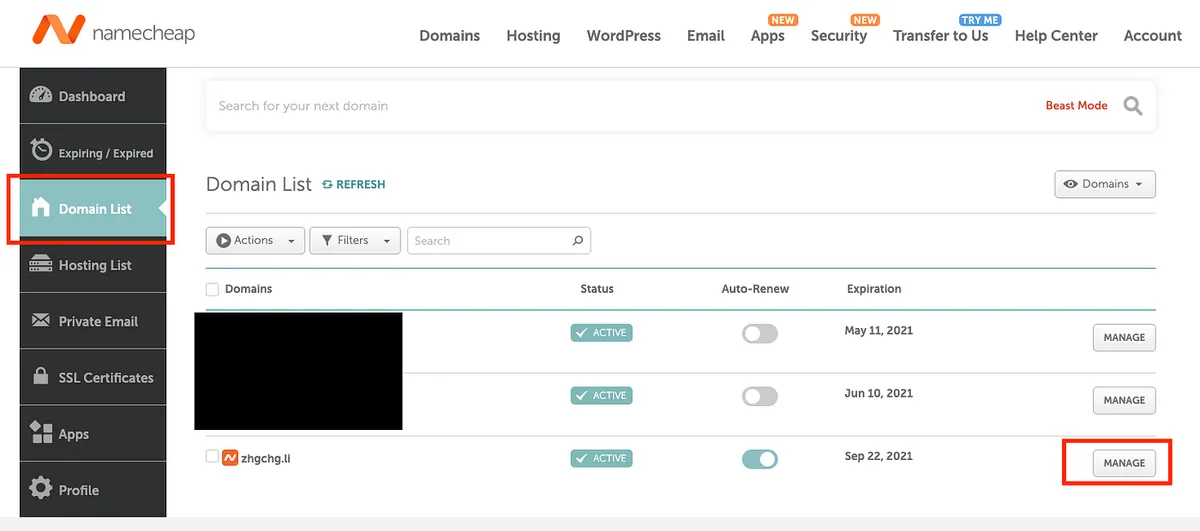
After entering, switch to the last tab labeled “Advanced DNS”
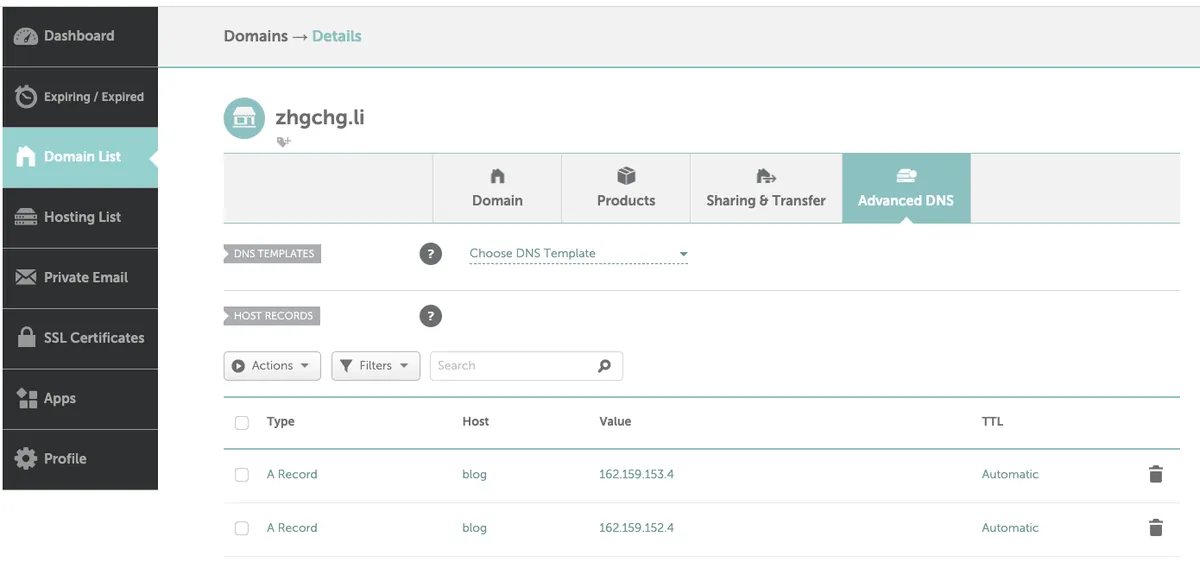
Keep it on this page for now, then return to Medium.
Go to Medium’s Settings page, find the “Custom domain” section under the “Profile” block, and click “Get started”.
For Publications, please go to the Publications’ “Homepage and settings,” then find the “Custom domain” section at the bottom.
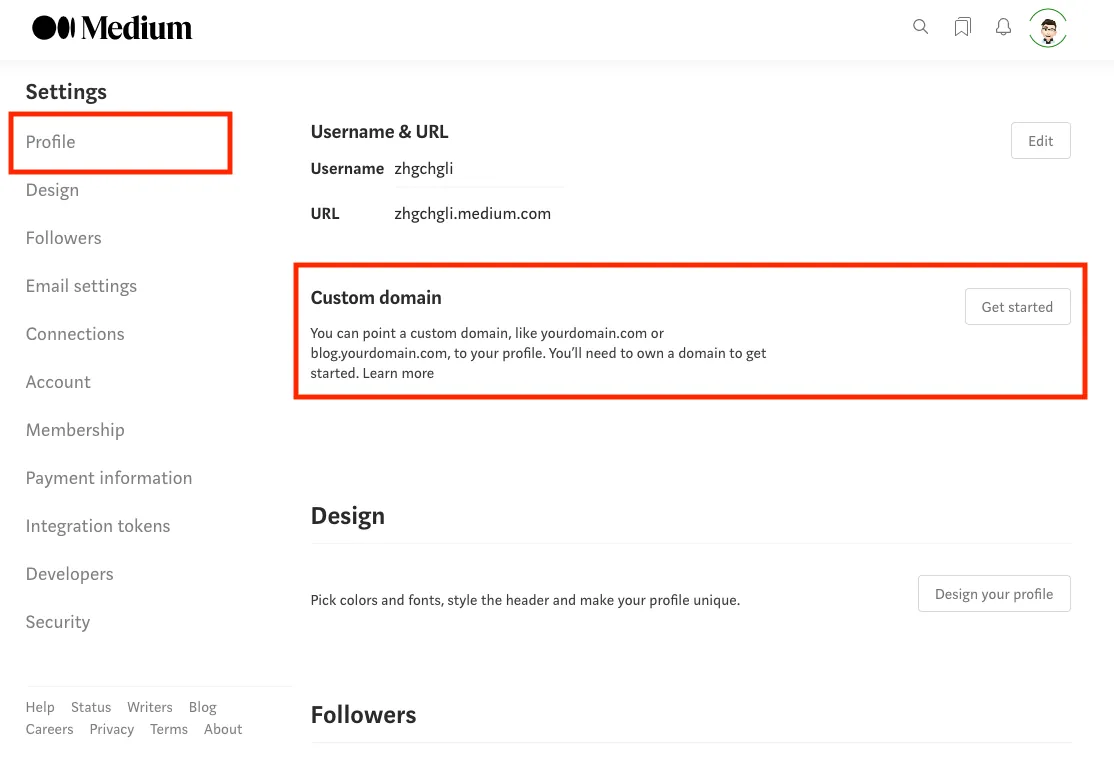
If it shows “Upgrade,” it means you need to upgrade to a paid user before using this feature.
Enter the settings page:
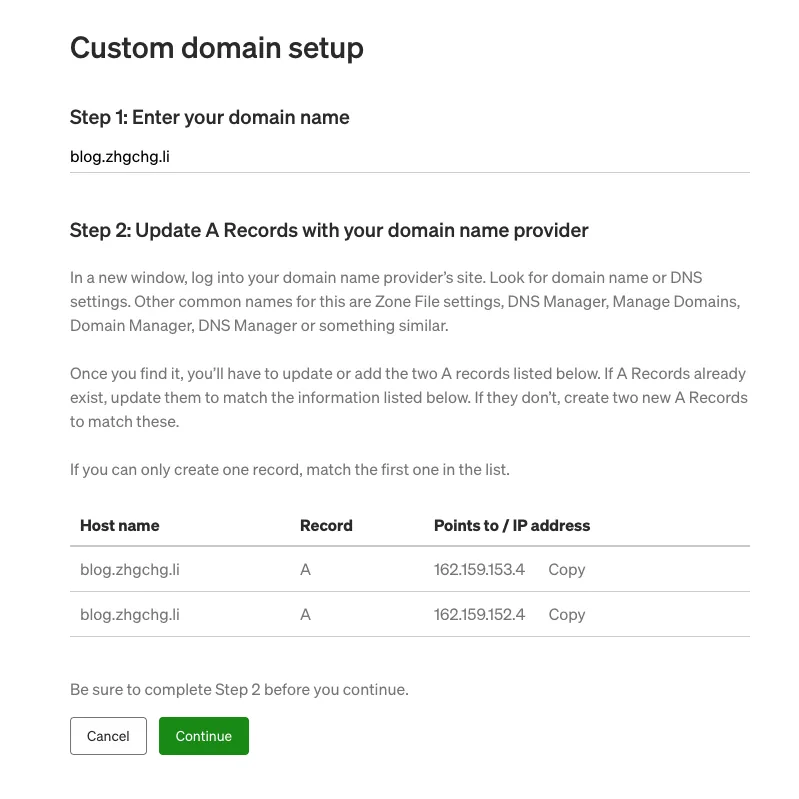
Enter your domain name, e.g., www.example.com
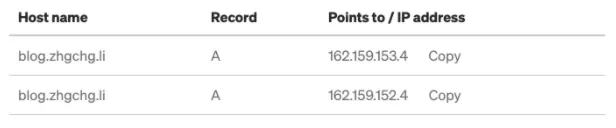
Remember the above information, then return to the Namecheap settings page.
Find the HOST RECORDS section under the Advanced DNS tab

Click the “ADD NEW RECORD” button below twice to display two new entry fields.

Input the information from Medium:
Choose “A Record”
If you are using the main domain (e.g., zhgchg.li), enter www. If you are using a subdomain like me, enter the subdomain name.
Enter the IP information as on Medium
Then click the “✔” on the right to complete the addition.
Check the “HOST RECORDS” section again for any existing records.
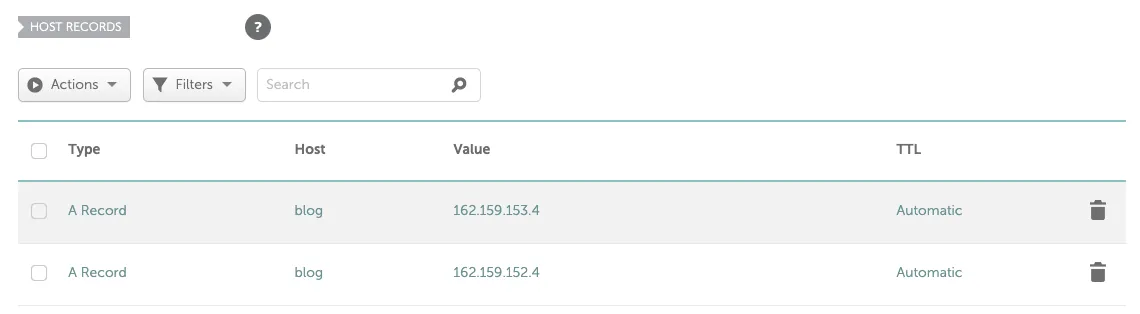
If everything is set up on Namecheap, go back to the Medium settings page.
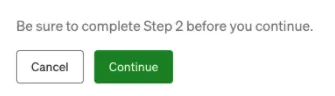
Click “Continue” to proceed.
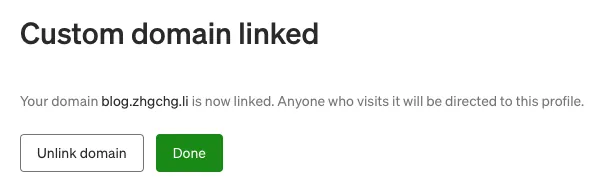
If you see the processing page, it means the setup is complete!
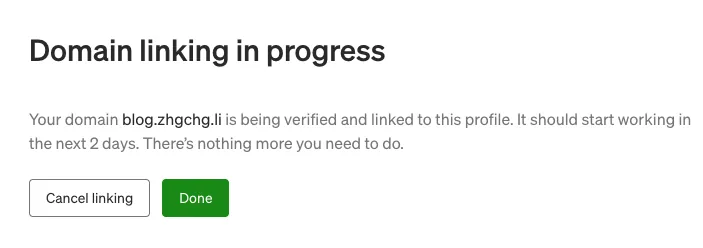
Here, I want to explain that domain binding and DNS settings may take up to 48 hours to fully take effect. It might not be instant. In my experience, it succeeded within 15 minutes; however, within those 48 hours, you might be able to access it while others cannot.
Visiting the domain before activation will show a 404 error:

Things to Note
Links shared using a custom domain may become invalid if the custom domain is changed later.
Small Issues
2021/02/24 When I wrote this, the feature was still new and had some issues that Medium needed to resolve:
{:target="_blank"}](/assets/d9a95d4224ea/1*1y0WxZN02UZvgYmFiGvKmQ.webp)
But I think it can already operate 99% normally!
What if the paid membership is canceled… will it immediately become invalid?
Further Reading
If you have any questions or feedback, feel free to contact me.

This post was originally published on Medium (View original post), and automatically converted and synced by ZMediumToMarkdown.