Medium Partner Program|Global Access for Writers Including Taiwan—Earn Revenue from Your Articles
Writers worldwide, including Taiwan, can now join the Medium Partner Program to monetize their articles effortlessly and increase their writing income through a streamlined platform.
点击这里查看本文章简体中文版本。
點擊這裡查看本文章正體中文版本。
This post was translated with AI assistance — let me know if anything sounds off!
Table of Contents
Medium Partner Program is Finally Open to Writers Worldwide (Including Taiwan)!
Everyone can join the Medium Partner Program to write articles and earn revenue.
{:target="_blank"}](/assets/cefdf4d41746/1*WFb9iQKt7iOj_4DLTPjHjA.webp)
Photo by Steve Johnson
Murmur
The original intention of running Medium was not to make money but to enjoy sharing with others—sharing technical challenges encountered, hoping to help developers with similar issues avoid detours, or deepening my own research from which I can also learn new knowledge. Additionally, since there are few Traditional Chinese writers, I hope to set an example and create a cycle of mutual learning.
So I have never been too concerned about whether articles can generate profit or not. If there is profit, great; if not, that’s fine too. If there is, I can use the earnings to experiment, buy more services or experiences, and then turn those into articles to share with everyone, creating a virtuous cycle.
Since I started writing on Medium in 2018, I have known about the Medium Partner Program. However, from 2018, 2019, 2020… year after year, the Medium Partner Program policy had no updates and only allowed writers from a few regions (I remember only Singapore and Japan in Asia) to join and earn revenue. For writers outside these regions, earning was very troublesome, requiring a VPN to connect to allowed regions plus having an account or phone number from those regions. I researched a bit before but found it too troublesome and unsafe.
Many creators have switched to other platforms like Matters, Fanggezi, or set up their own sites with ads for revenue. In recent years, Medium has indeed lost many Chinese-speaking creators.
Medium Partner Program
Until recently in August 2024, I accidentally saw an invitation banner in Medium’s backend to join the Partner Program (I thought, “What? Taiwan still isn’t allowed”). After clicking and checking, I was surprised to find that it is now fully open. Creators from almost all regions can join the Partner Program and earn revenue word by word through their articles.
It’s a bit funny that before you can join the Medium Partner Program to earn money, you first need to spend money to become a Medium Member (at least $4 per month).
2024–08–07 Official Medium Blog Announcement
We’ve added 77 countries to the Medium Partner Program Plus a $10 minimum, details about your earnings included in your Partner Program dashboard, and expanding the Boost… blog.medium.com
New list of countries:
Albania, Algeria, Angola, Antigua and Barbuda, Argentina, Armenia, Australia, Austria, Azerbaijan, Bahamas, Bahrain, Bangladesh, Belgium, Benin, Bhutan, Bolivia, Bosnia and Herzegovina, Botswana, Brunei, Bulgaria, Cambodia, Canada, Chile, Colombia, Costa Rica, Côte d’Ivoire, Croatia, Cyprus, Czech Republic, Denmark, Dominican Republic, Ecuador, Egypt, El Salvador, Estonia, Ethiopia, Finland, France, Gabon, Gambia, Germany, Ghana, Gibraltar, Greece, Guatemala, Guyana, Hong Kong, Hungary, India, Indonesia, Ireland, Israel, Italy, Jamaica, Japan, Jordan, Kazakhstan, Kenya, Kuwait, Laos, Latvia, Liechtenstein, Lithuania, Luxembourg, Macao, Madagascar, Malaysia, Malta, Mauritius, Mexico, Moldova, Monaco, Mongolia, Morocco, Mozambique, Namibia, Netherlands, New Zealand, Niger, Nigeria, North Macedonia, Norway, Oman, Pakistan, Panama, Paraguay, Peru, Philippines, Poland, Portugal, Qatar, Romania, Rwanda, Saint Lucia, San Marino, Saudi Arabia, Senegal, Serbia, Singapore, Slovakia, Slovenia, South Africa, South Korea, Spain, Sri Lanka, Sweden, Switzerland, Taiwan, Tanzania, Thailand, Trinidad and Tobago, Tunisia, Turkey, United Arab Emirates, United Kingdom, United States, Uruguay, Uzbekistan, and Vietnam
Medium Custom Domain Feature
Recently, Medium has been adding more features. Another feature that was once available, then closed, the custom domain, has now reopened.
](/assets/cefdf4d41746/1*IdKpBZZx1y79GVCGElkdnA.webp)
Medium Custom Domain Feature Returns
You can refer to my previous article “Medium Custom Domain Feature Returns” to register your own domain and link it to Medium.
- Effect: https://blog.zhgchg.li
The custom domain feature also requires you to be a Medium Member to use.
Payment Method & Tax Issues
Payment Method: Directly through Stripe, which is similar to Paypal but with lower fees and more focused on payment processing.
Tax Issues: Non-US citizens only need to fill out a declaration form.
Some Thoughts on Paywall Paid Articles
Once an article is behind the Paywall and becomes a paid article, users must log in and join Medium Member paid membership to read the full content. The previously circulated unlimited monthly reading hacks are no longer effective.
My high-traffic, SEO-friendly articles are mostly unboxings and travelogues; however, the readers are mostly casual visitors, not even regular Medium Members, let alone paying members. They just browse and leave, so these types of articles are not suitable for Paywall.
Technical articles are often shared freely because the information is meant to be open and the authors don’t see their content as valuable. Also, since the traffic is mostly industry insiders, there is little motivation to add a Paywall.
Or simultaneously provide a free link so that non-Medium Members can also read it.Traffic and revenue results can be referenced from Tenz Shih’s early shared data.
I have selected several technical articles with good traffic and content to add to the Paywall for testing (a free link is included in the first paragraph, so readers without an account or payment can still view it). I will update the results later for your reference.
Previously, I had already migrated to Self-hosted + Google Adsense using a custom tool for conversion: “Seamless Migration from Medium to Self-hosted Site.” However, I didn’t consider paid articles at that time, so I need to adjust the script again QQ.
Detailed tutorial begins.
Medium Partner Program Joining Process
1. Complete Stripe Account Registration (Open Account)
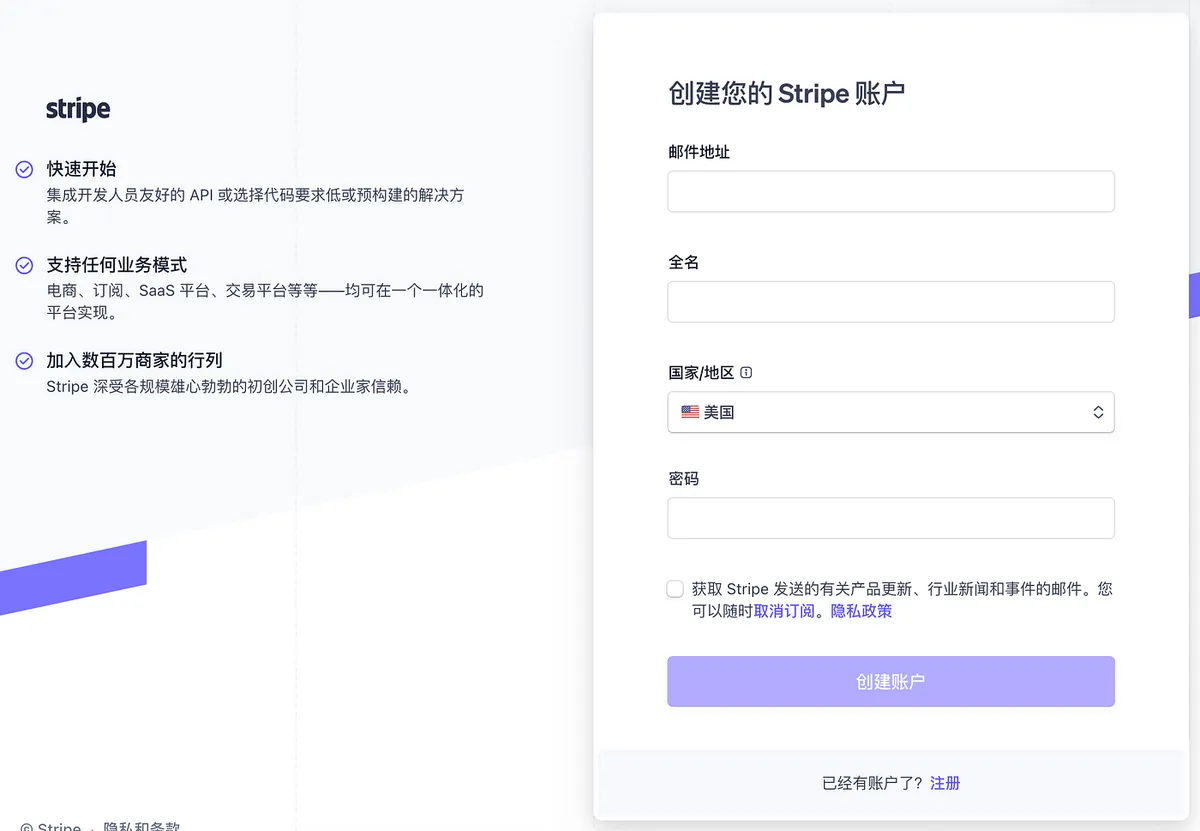
I registered a long time ago, so I’ll skip the registration process below.
2. Make sure you are a Medium Member paying subscriber
First, make sure you have a Medium Member or Medium Friend membership.
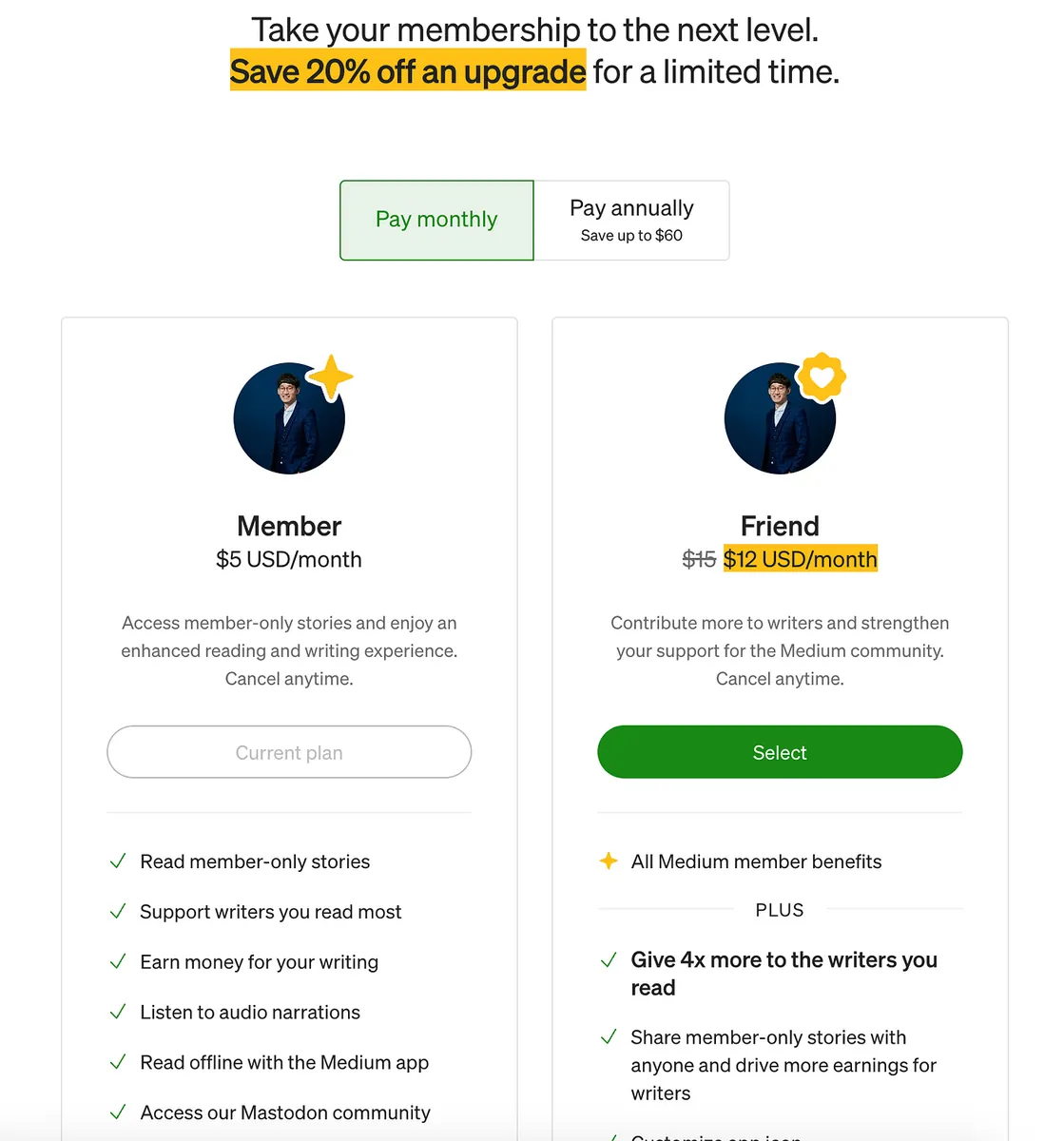
- If you don’t have one, you need to subscribe first.
3. Go to the Medium Partner Program page to apply for membership
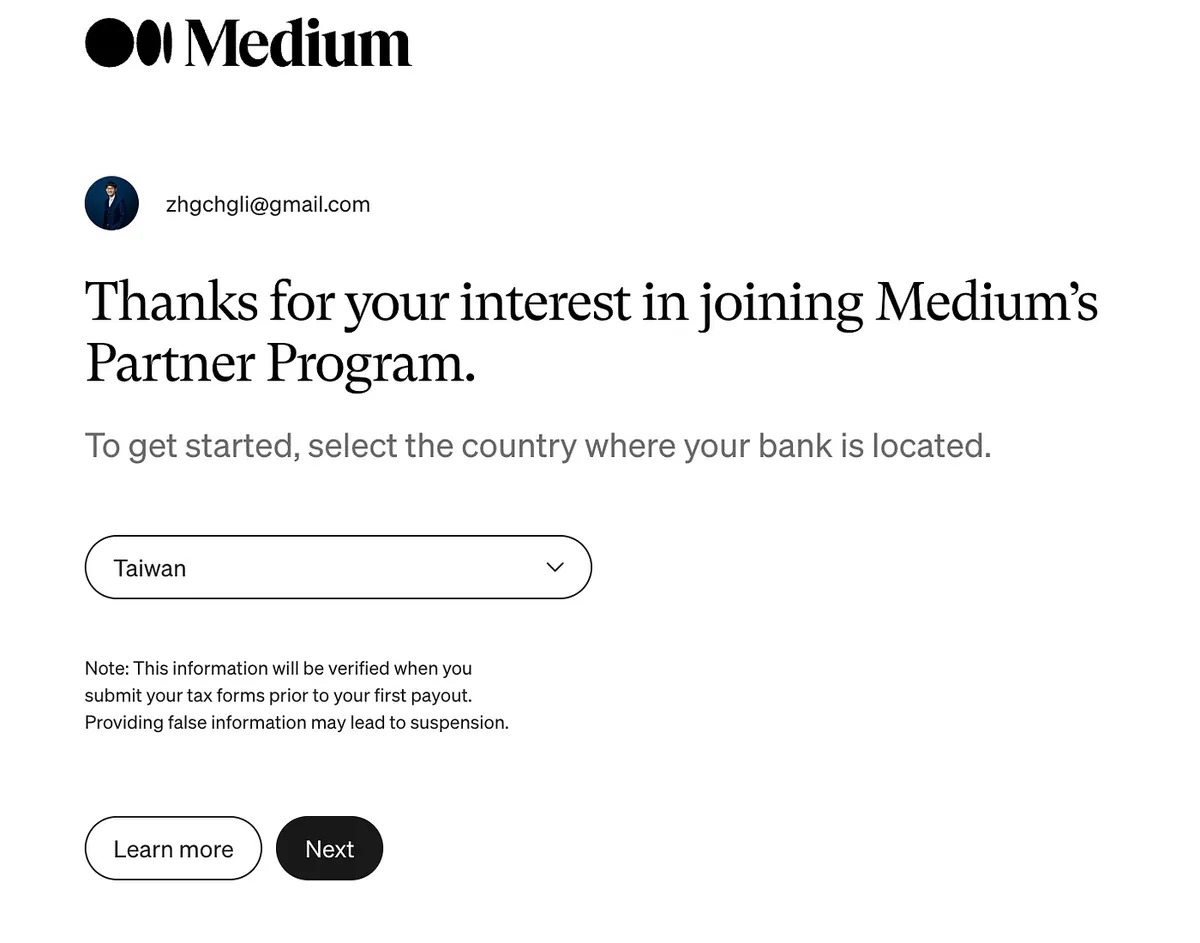
- Select your country where you are located; currently, almost all countries are supported.
It is assumed that countries supporting Stripe payments are all included.
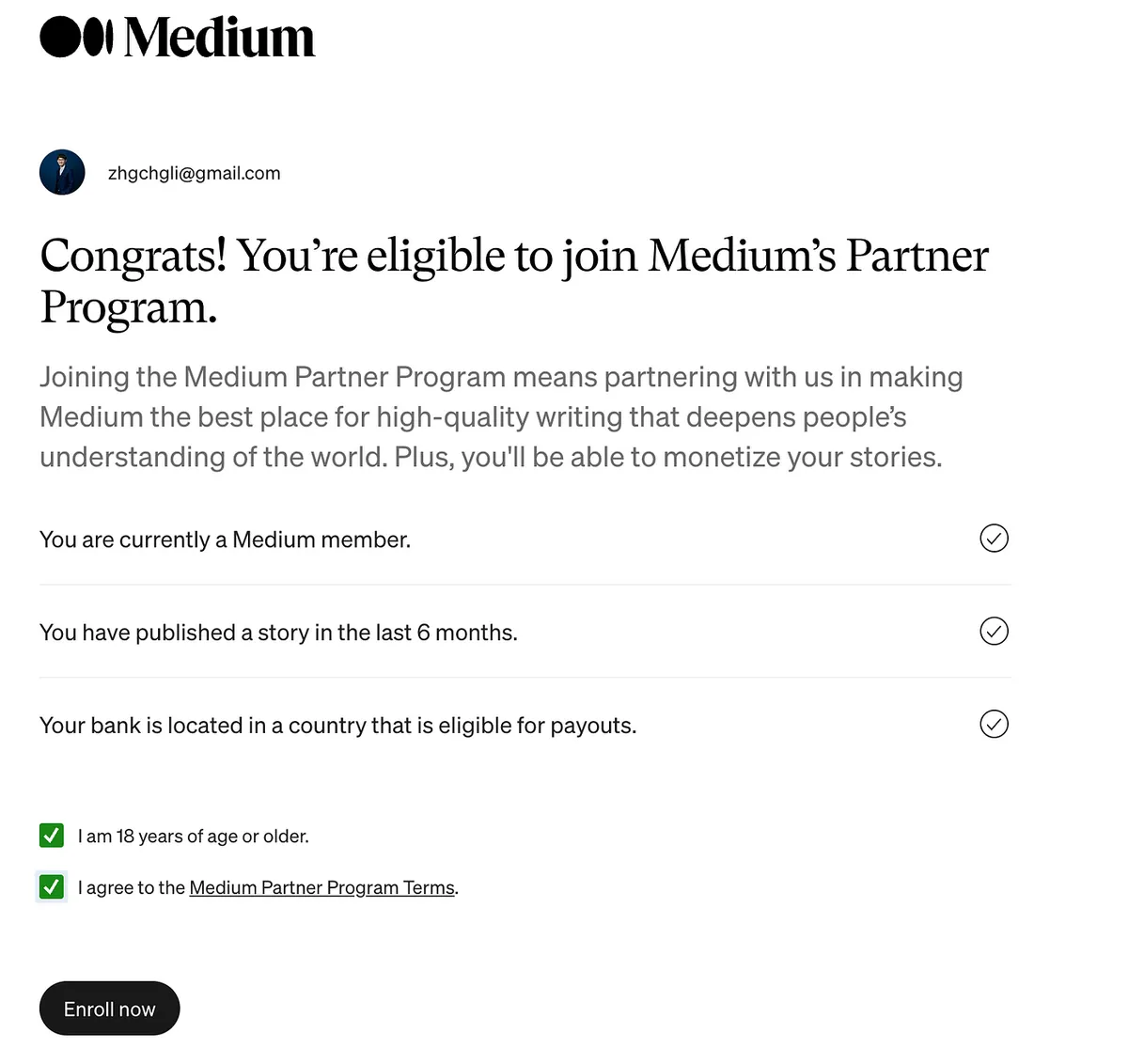
- Confirm that all three conditions are met:
- Already a Medium Member (paid subscriber) ✅
- Published at least one article in the past six months ✅
- Located in an allowed region, Taiwan ✅
- Click:
- Confirm you are at least 18 years old
- Confirm agreement to the terms of use
Click “Enroll now” to proceed to the next step.
4. Complete Medium x Stripe Linking
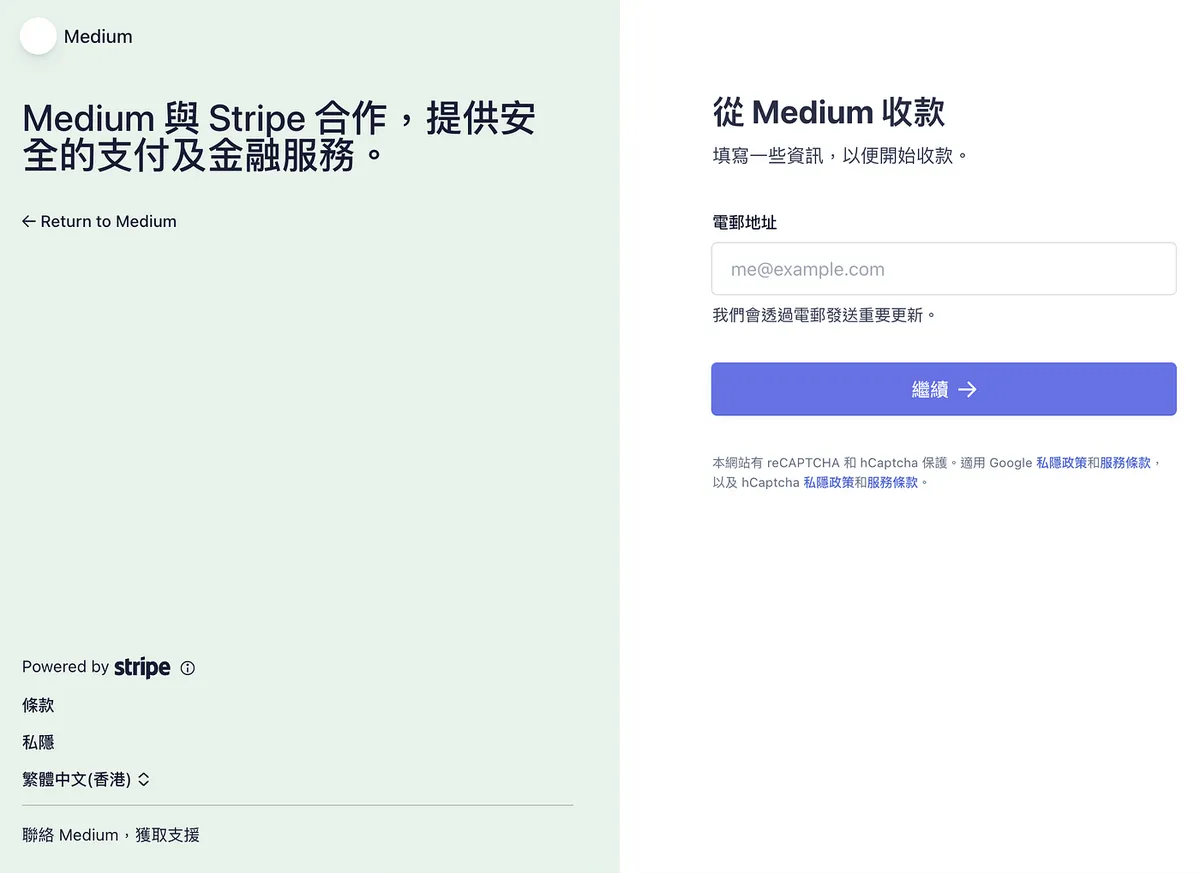
- Enter your email address
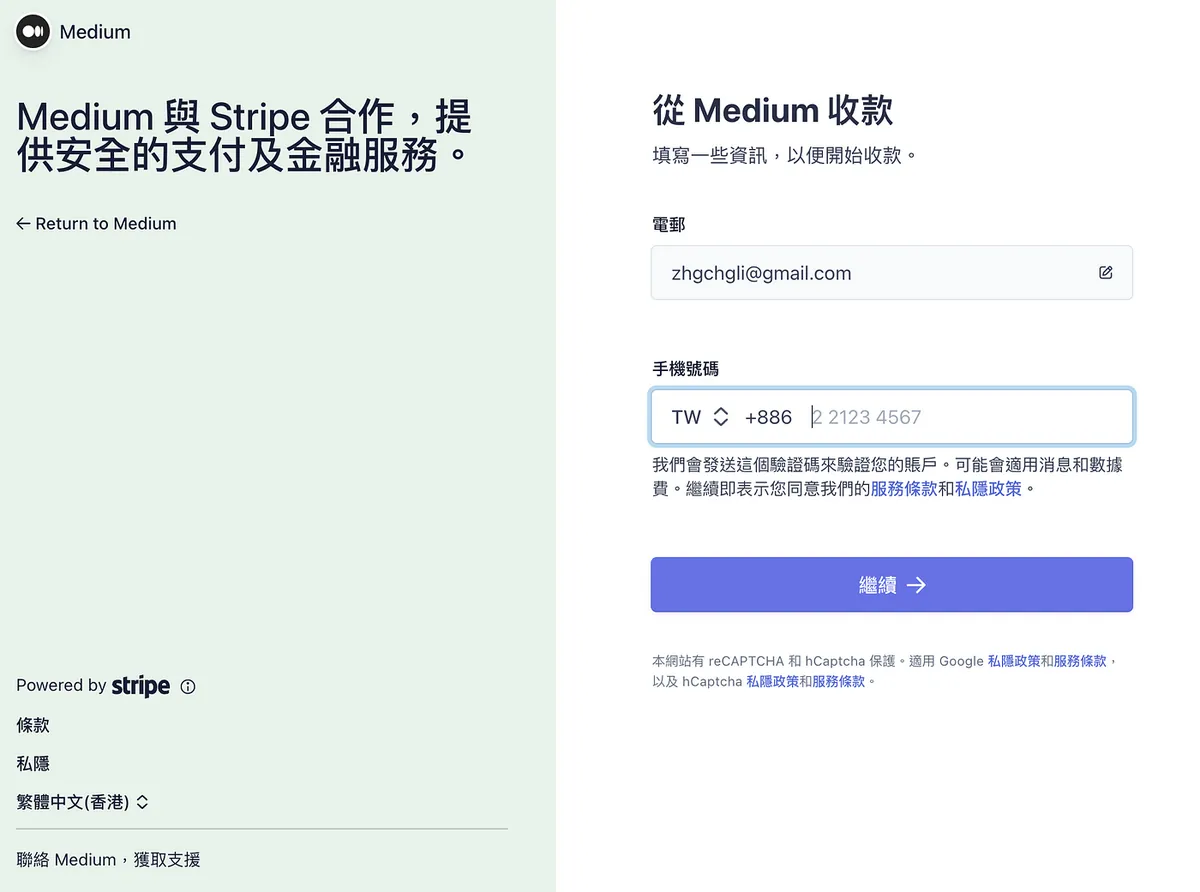
- Enter your phone number
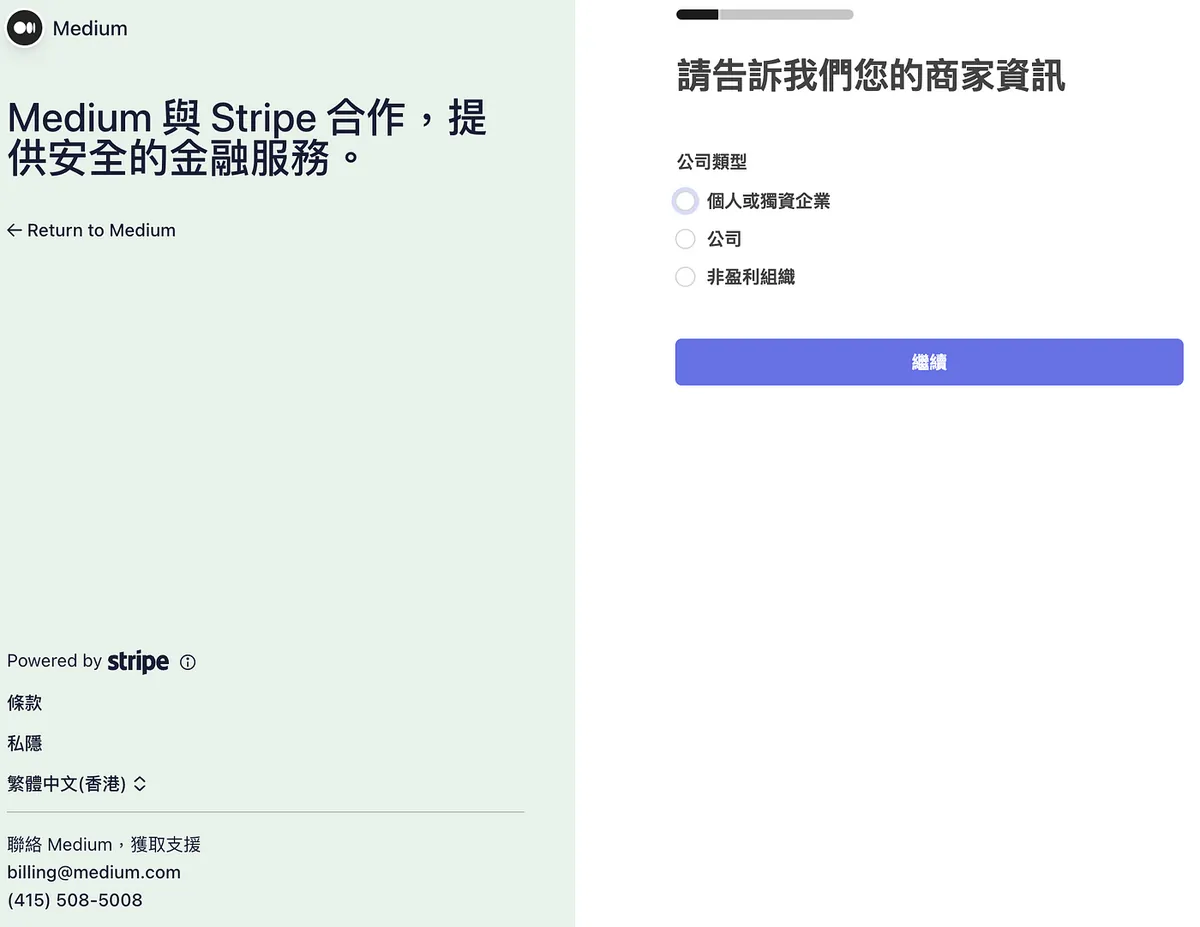
- Business type: I chose “Individual or Sole Proprietorship”
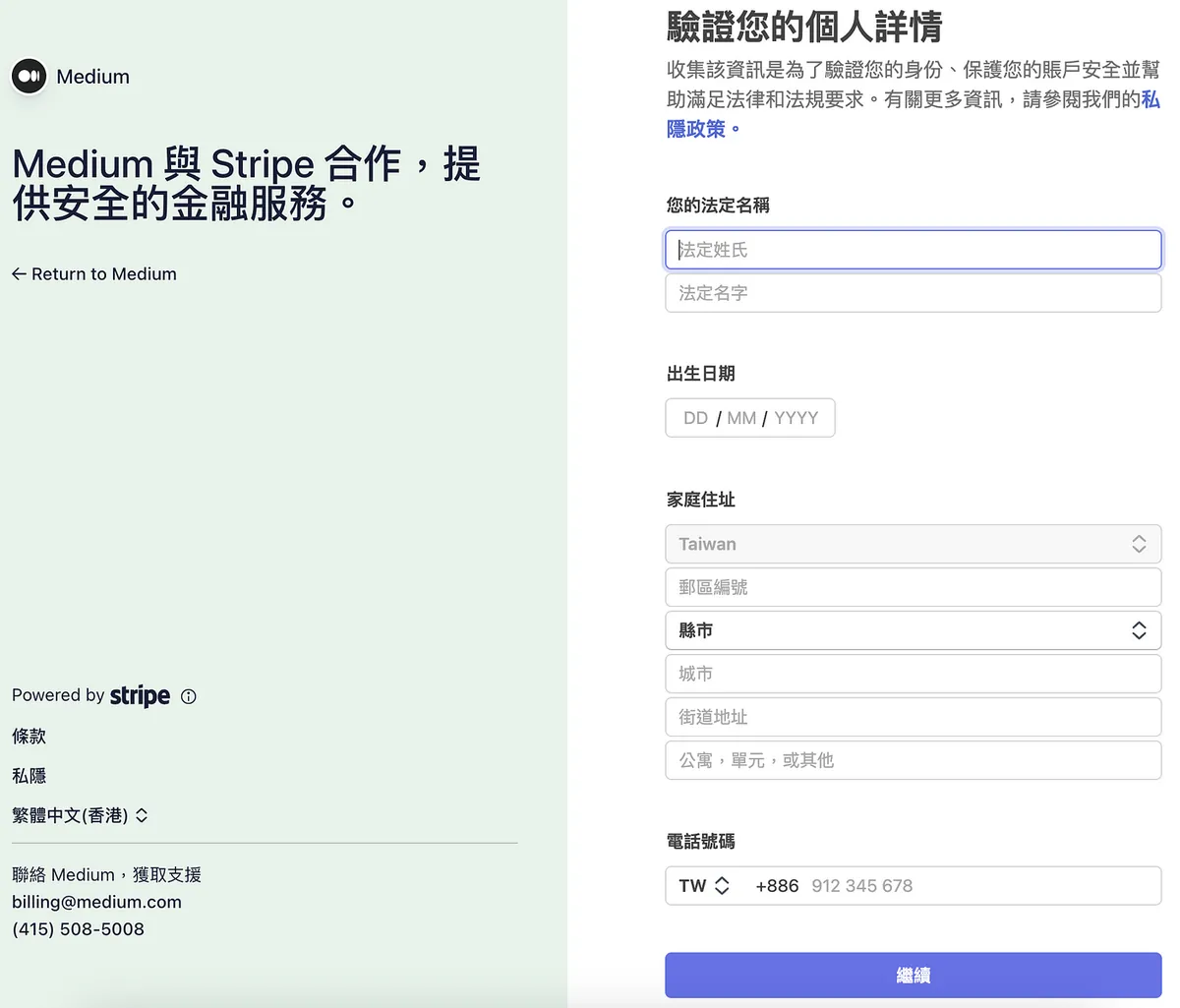
- Verify Your Personal Details: Enter your personal information. I was able to pass using Chinese input here.
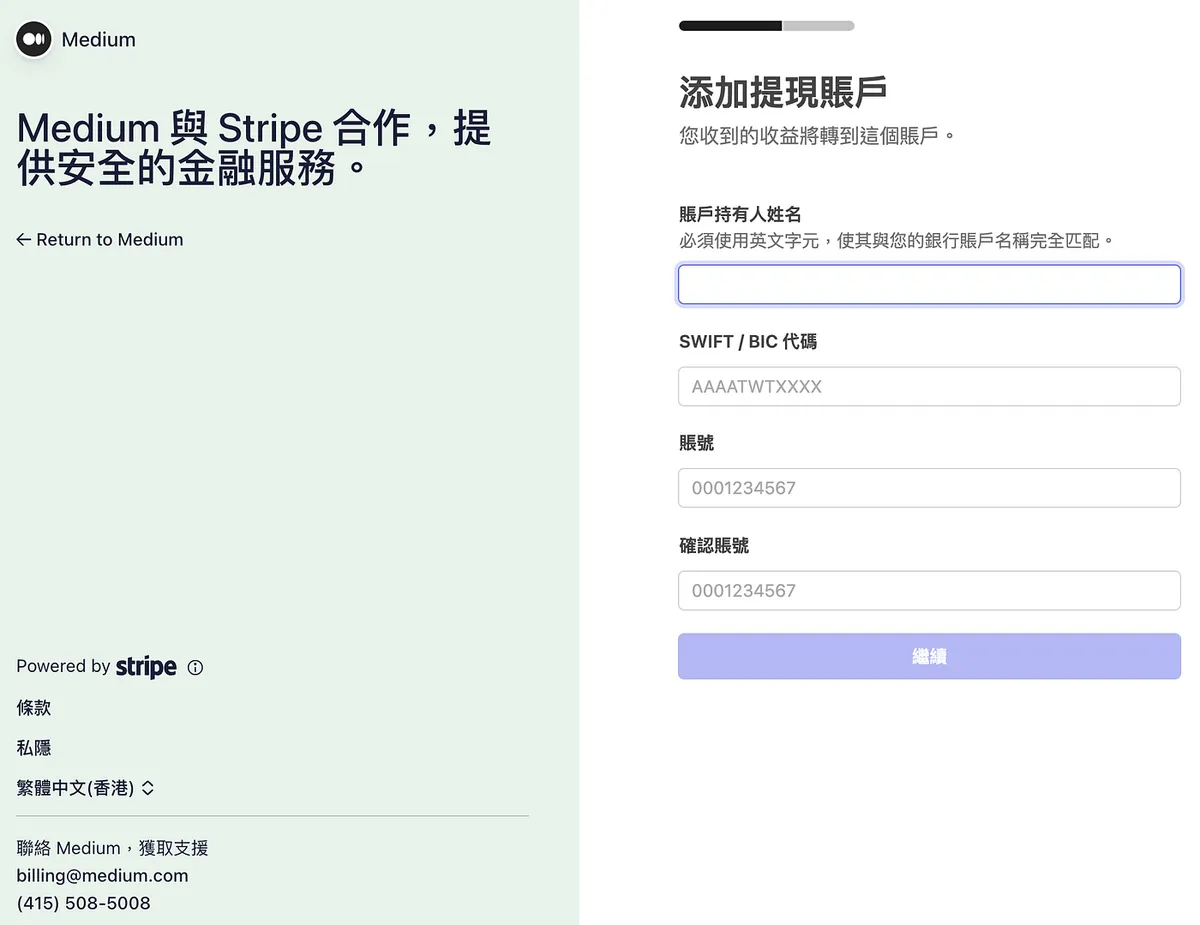
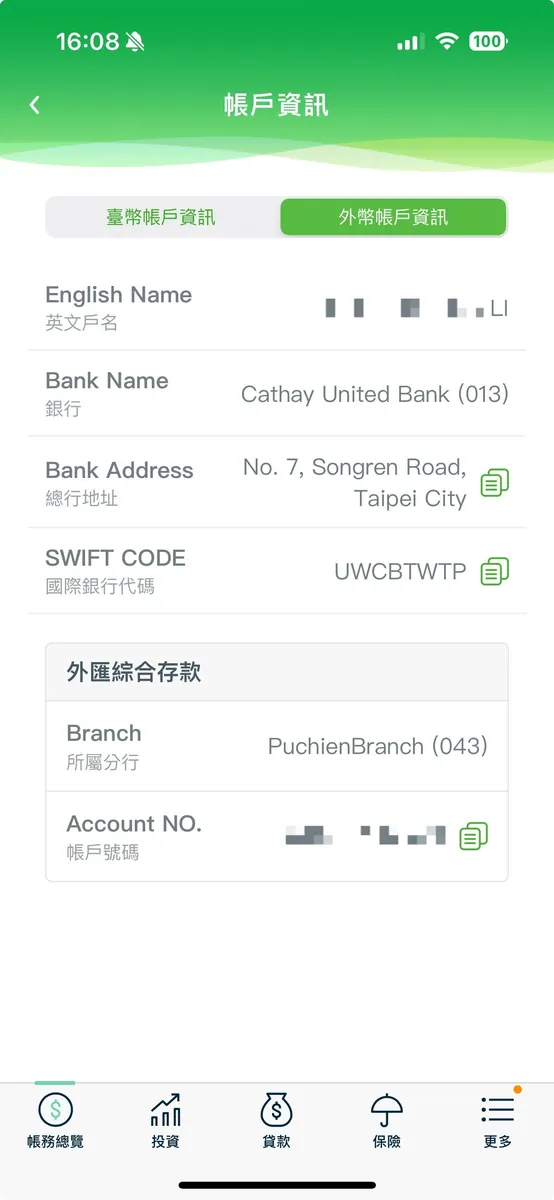
Add withdrawal account:
Account holder name: Enter the bank account name you want to receive payments - English name (full name)
SWIFT / BIC Code: Enter the SWIFT code of the bank you want to receive payments from. You can check it here
Account: Enter the bank account number where you want to receive payments
Here, I used a Cathay foreign currency account, directly checked the foreign currency account info in the app, and filled it in. (You can change it later in settings; it seems the verification happens only when disbursing funds)
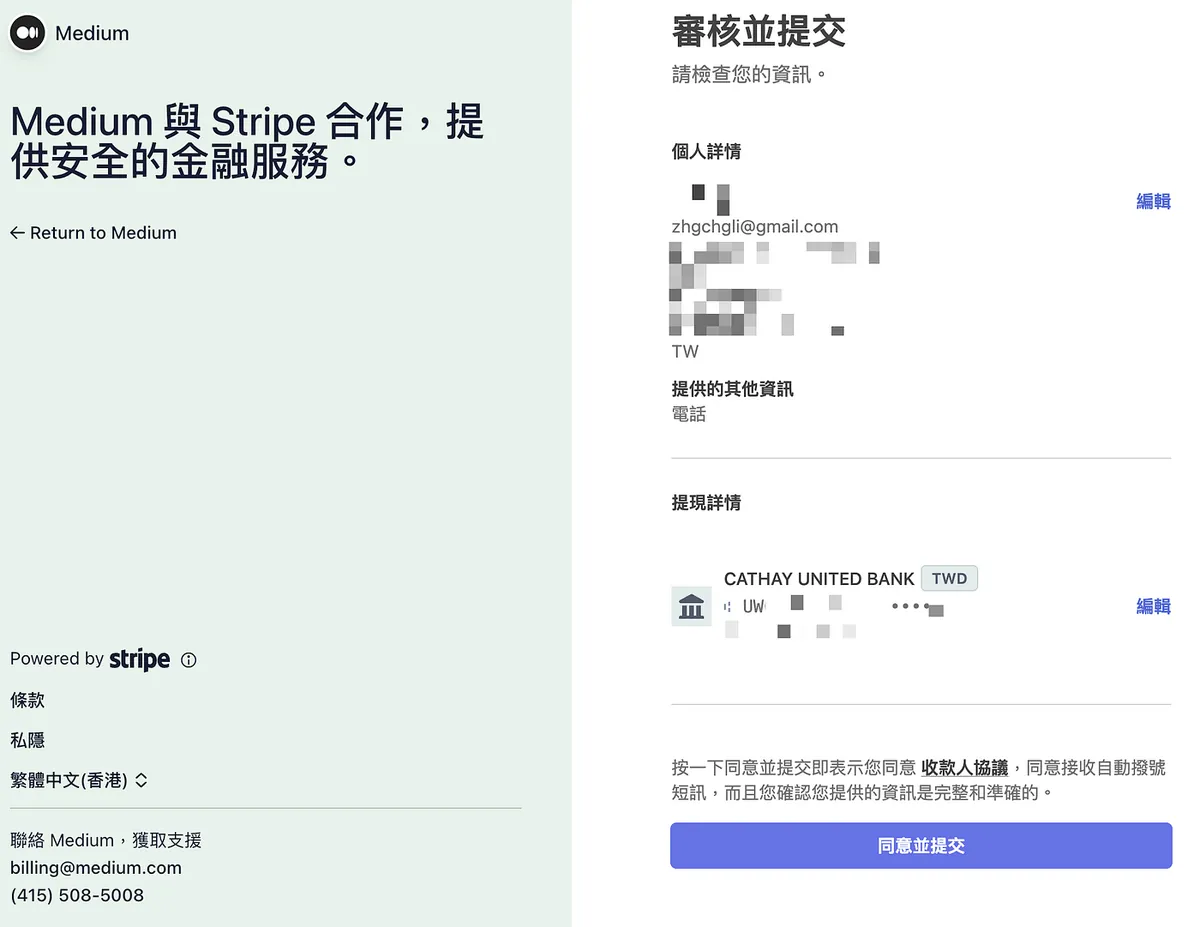
- Review and Submit: After confirming the information is correct, click “Agree and Submit”
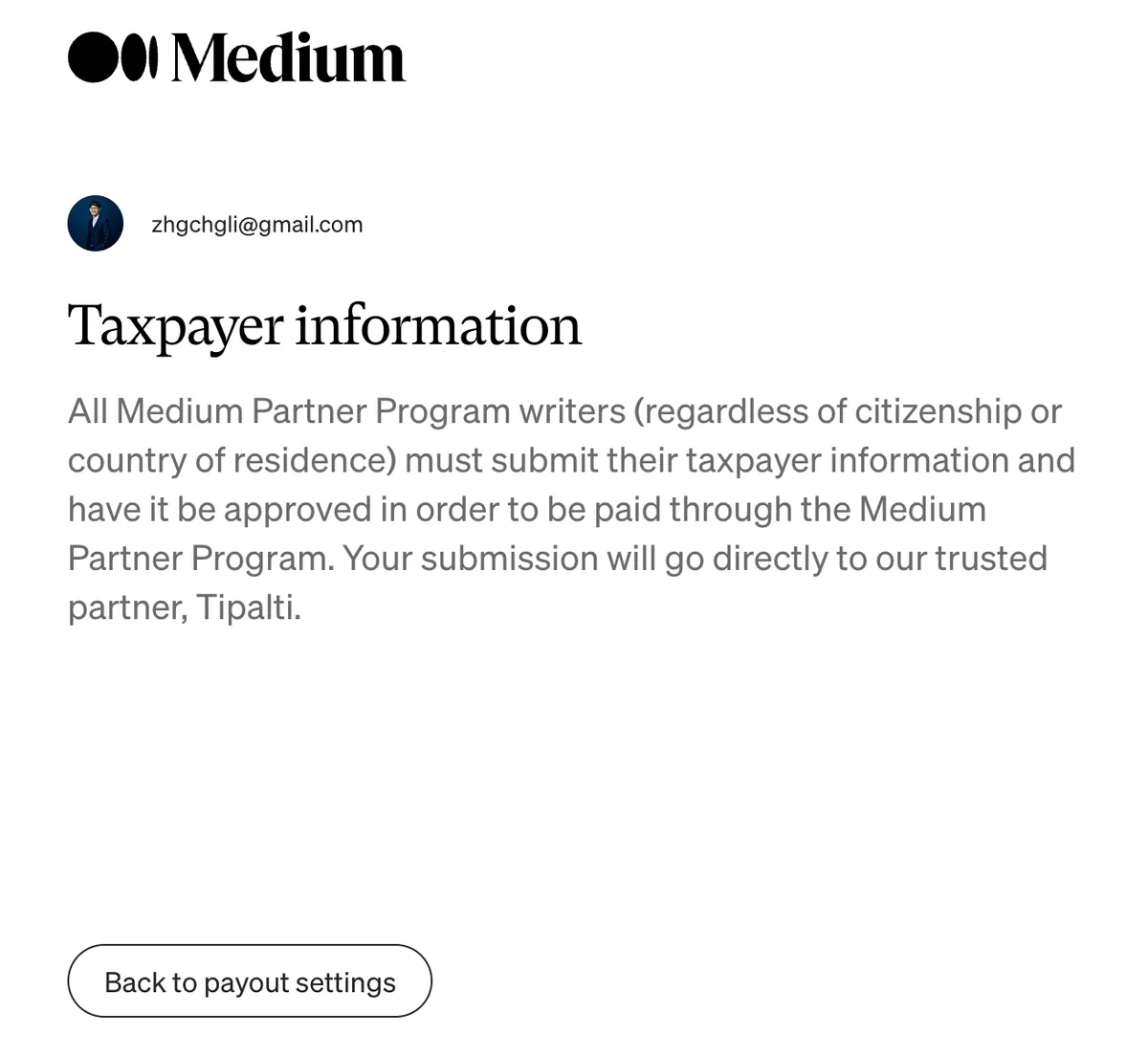
After submission, you will be redirected back to Medium to continue setting up your tax information.
5. Complete Tax Filing
The following example uses a personal account without U.S. citizenship.
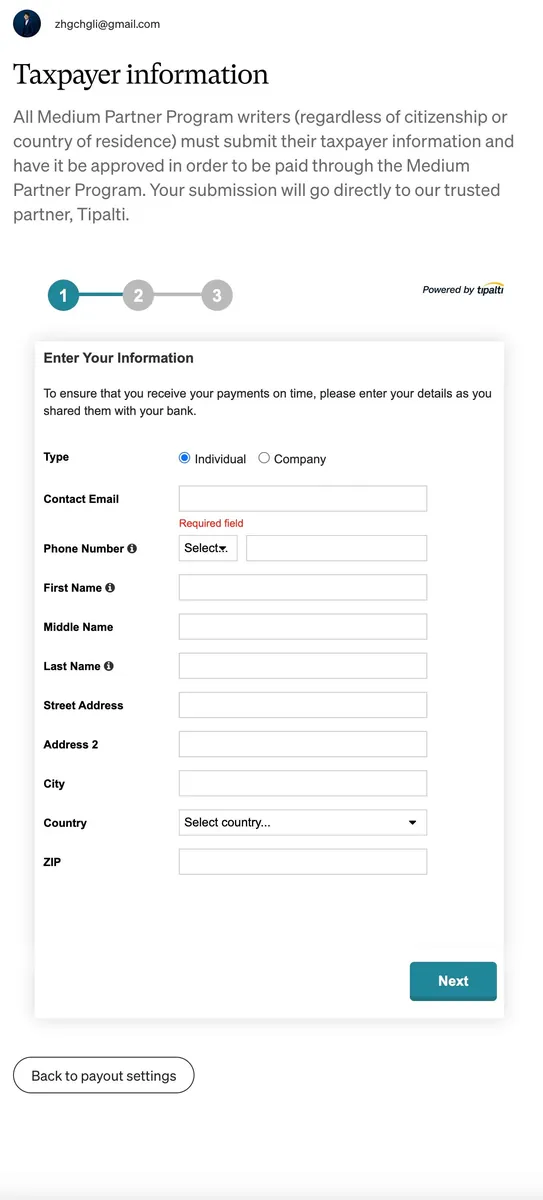
Enter your personal information (in English)
Address: Available via Chunghwa Post Translation
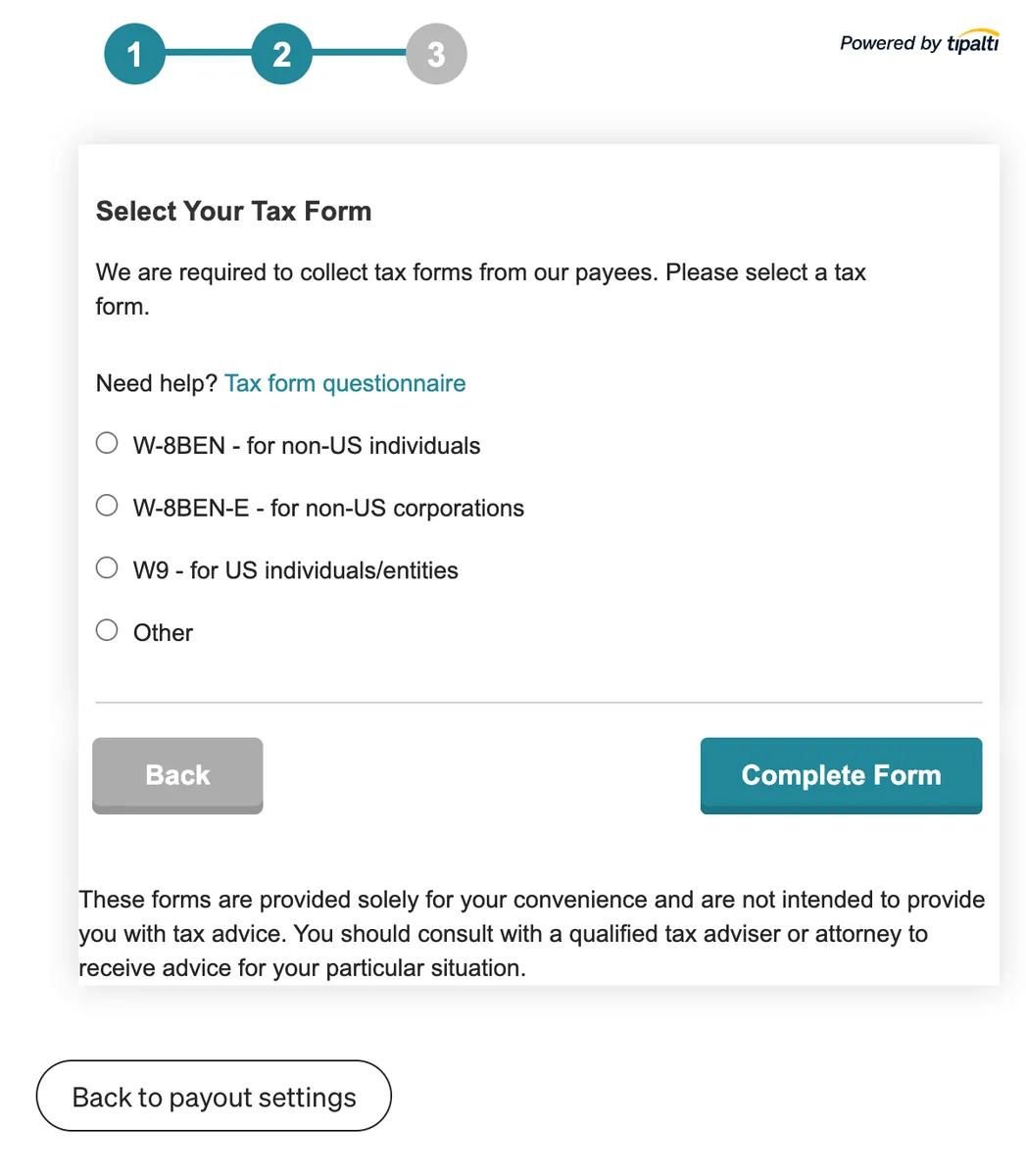
- Select Tax Form: For non-US citizens without any US status, choose the first option “W-8BEN — for non-US individuals”
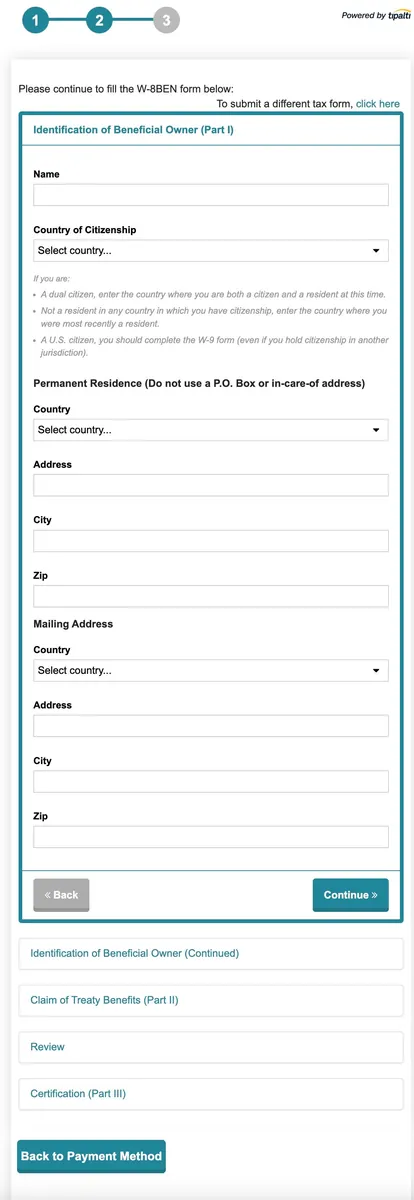
- Continue filling in the relevant personal information (English)
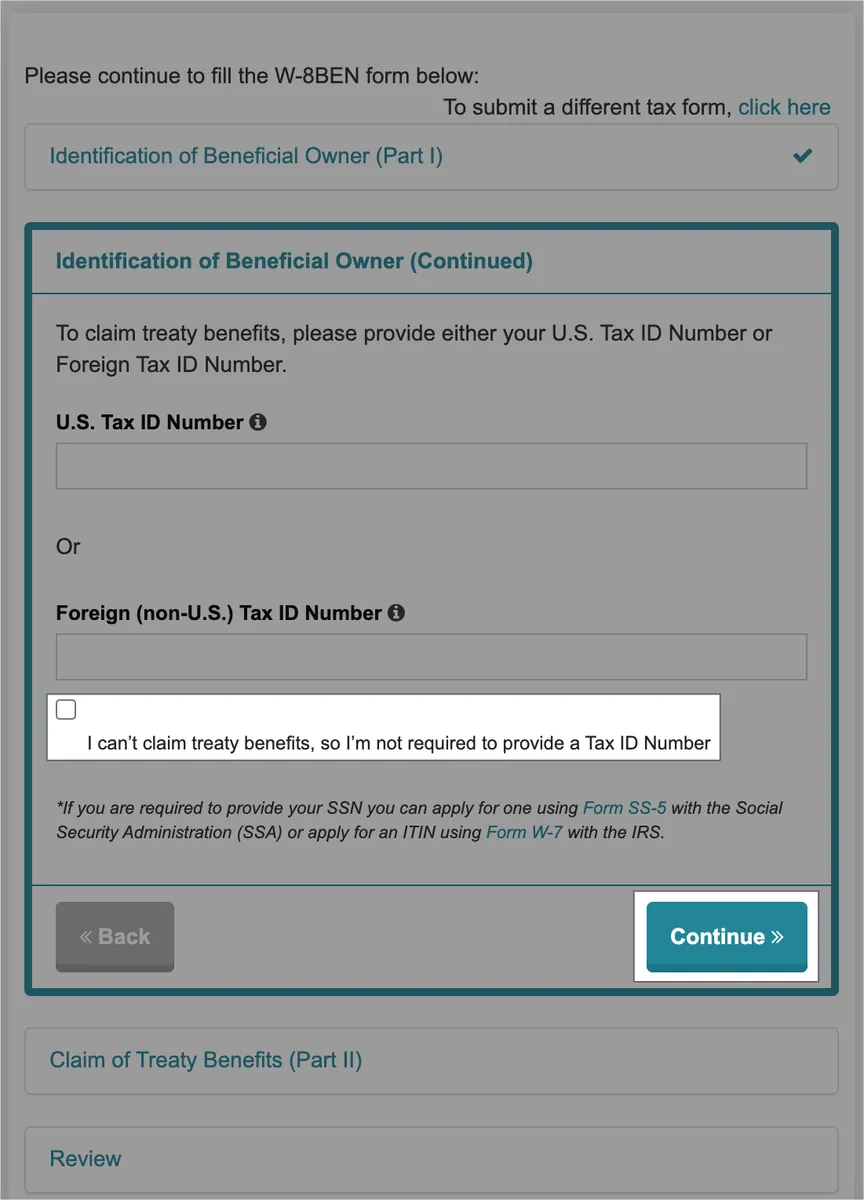
Identification of Beneficial Owner (Continued)
In this step, directly check “I can’t claim treaty benefits, so I’m not required to provide a Tax ID Number” and click “Continue”
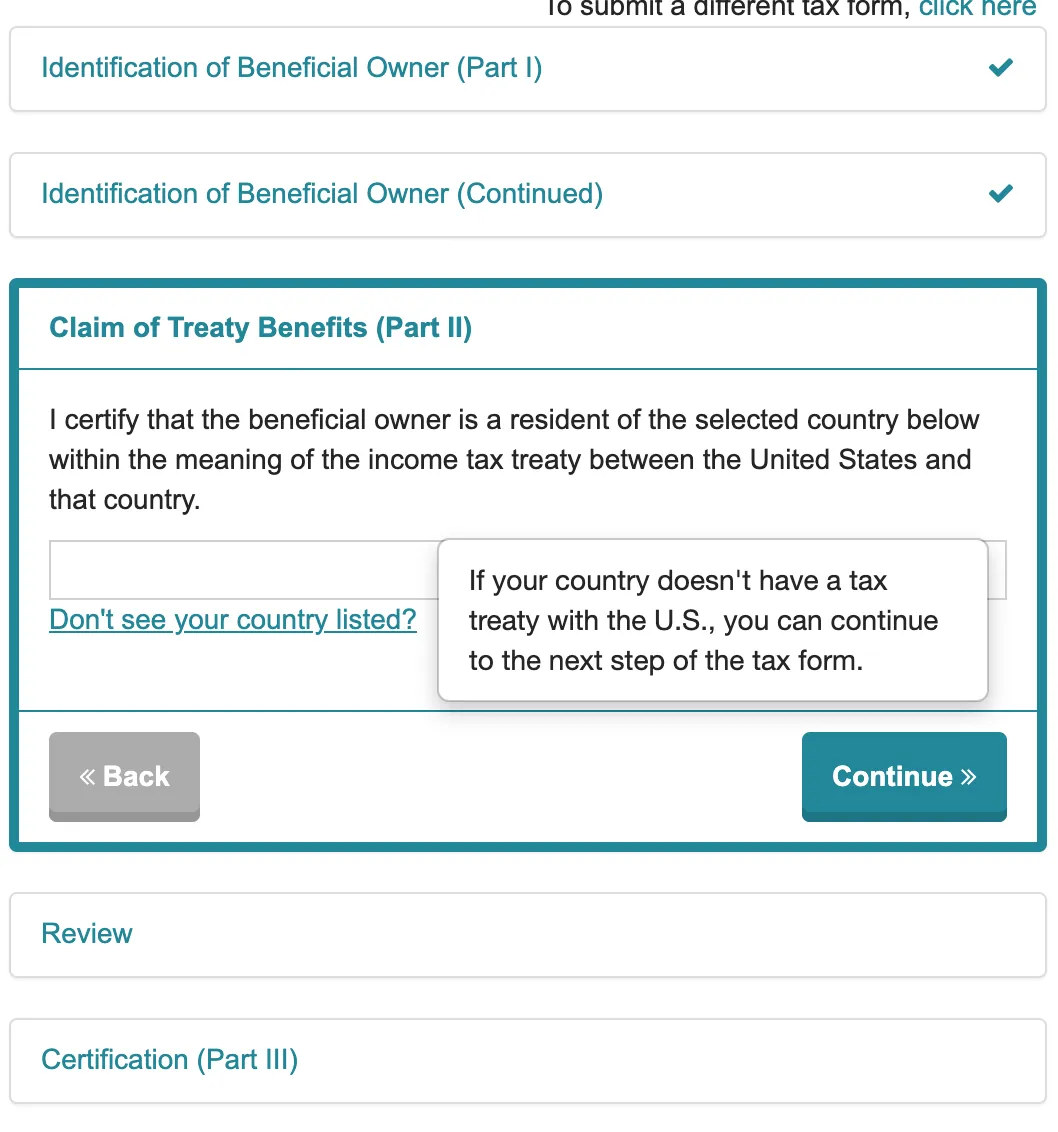
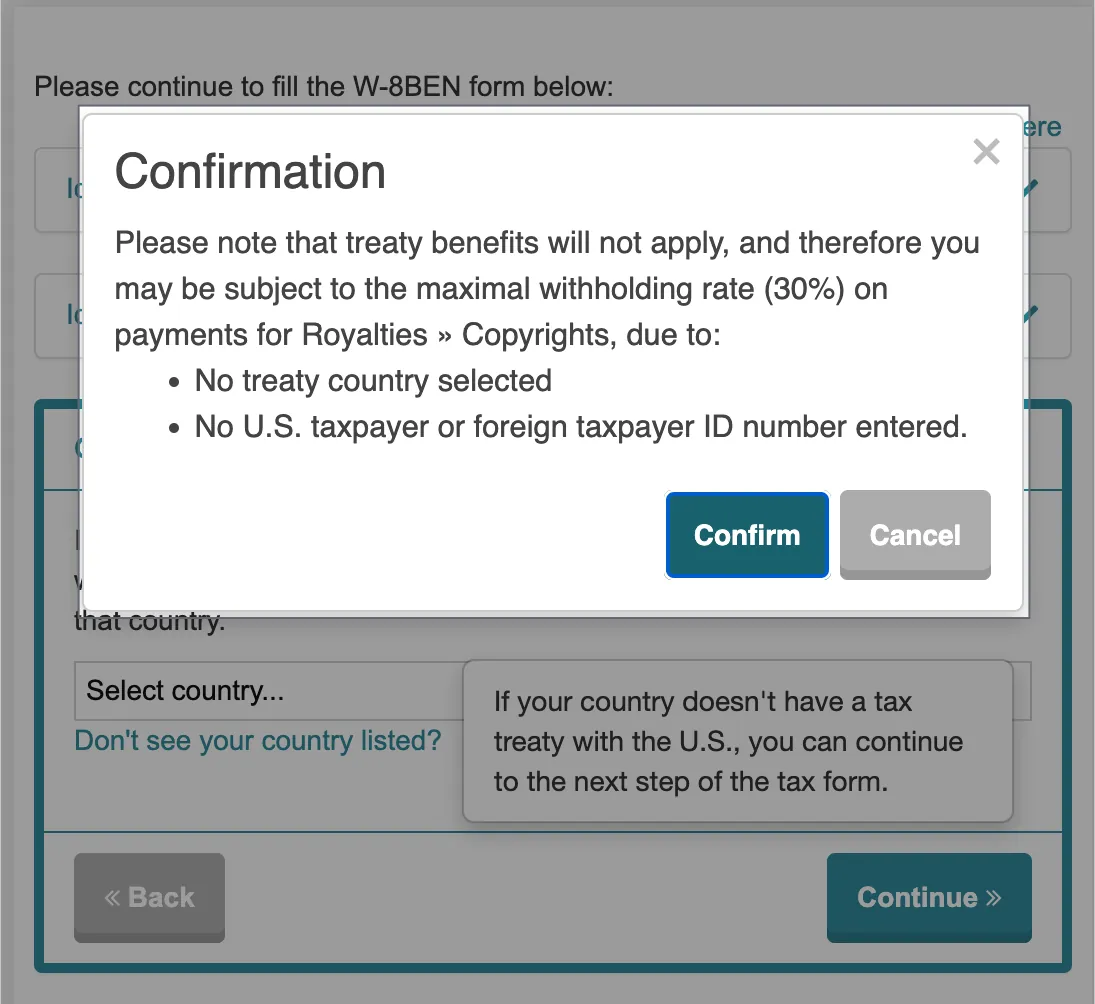
Claim of Treaty Benefits (Part II)
Click “Continue” to proceed to the next step.
Click “Confirm” to proceed
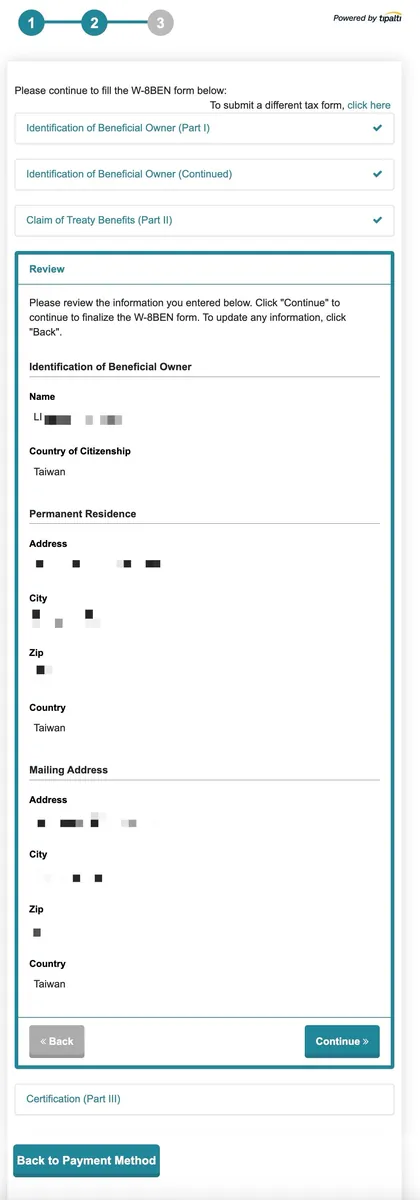
- After reviewing and confirming the information is correct, click “Continue” to proceed to the next step.
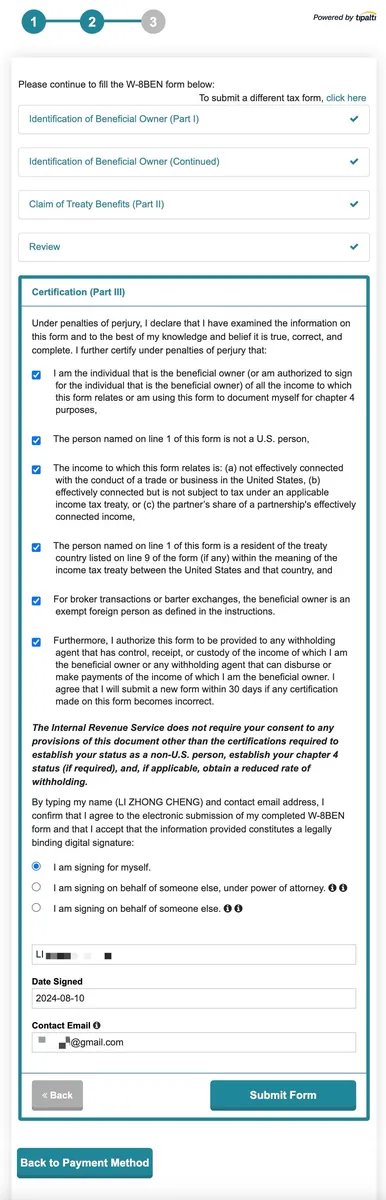
Certification (Part III):
Check all boxes, select “I am signing for myself.”, enter your full English name, the current date, and your contact email.
Finally, click “Submit Form” to send the entire form.
Done!
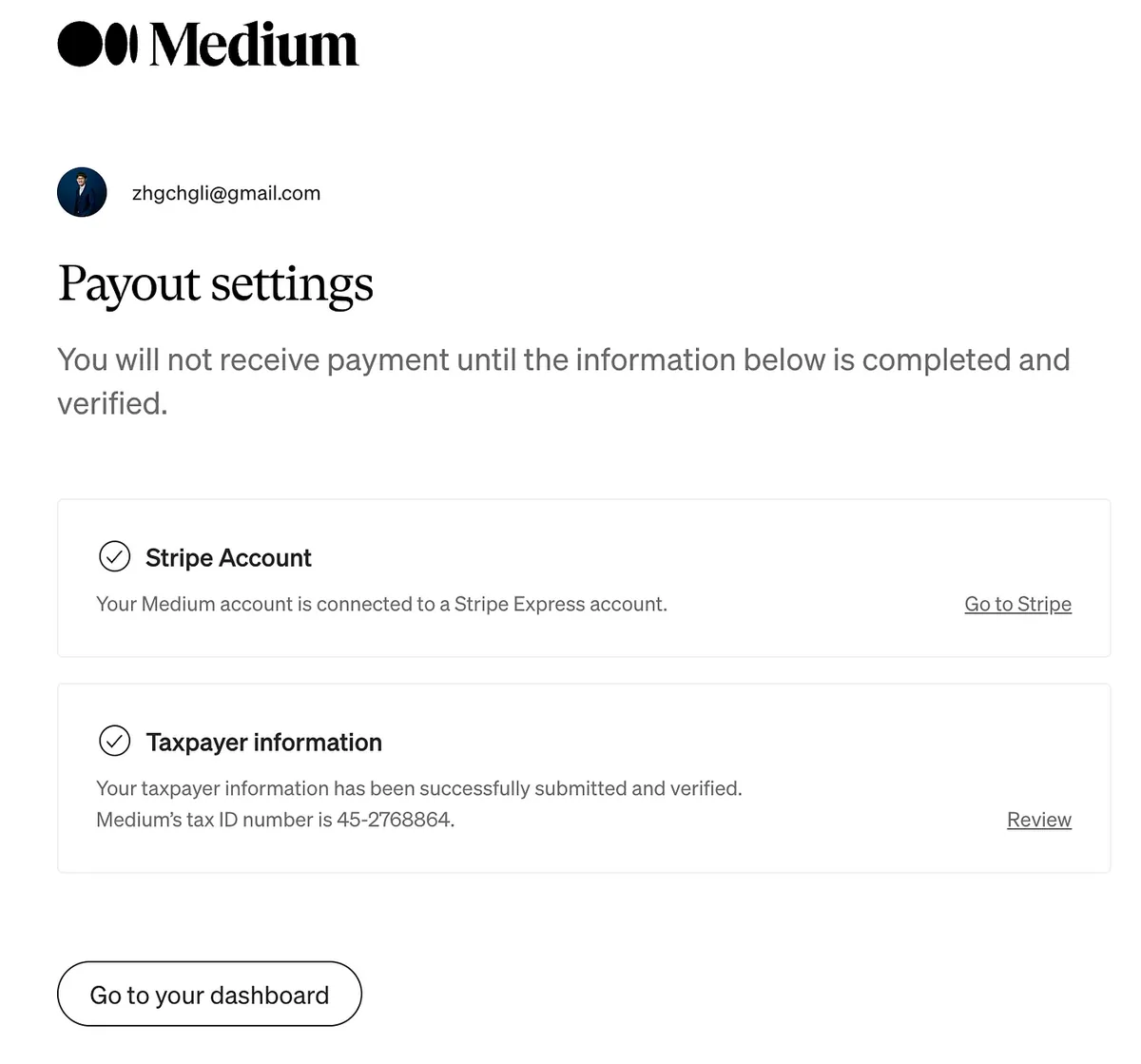
After submission, you will be redirected to the Payout settings page. If everything shows a ✅, it means you have successfully joined!
Adding Articles to the Paywall to Start Earning Revenue
Note that joining the Medium Partner Program alone does not generate earnings; articles must be placed behind a Paywall to receive revenue shares.
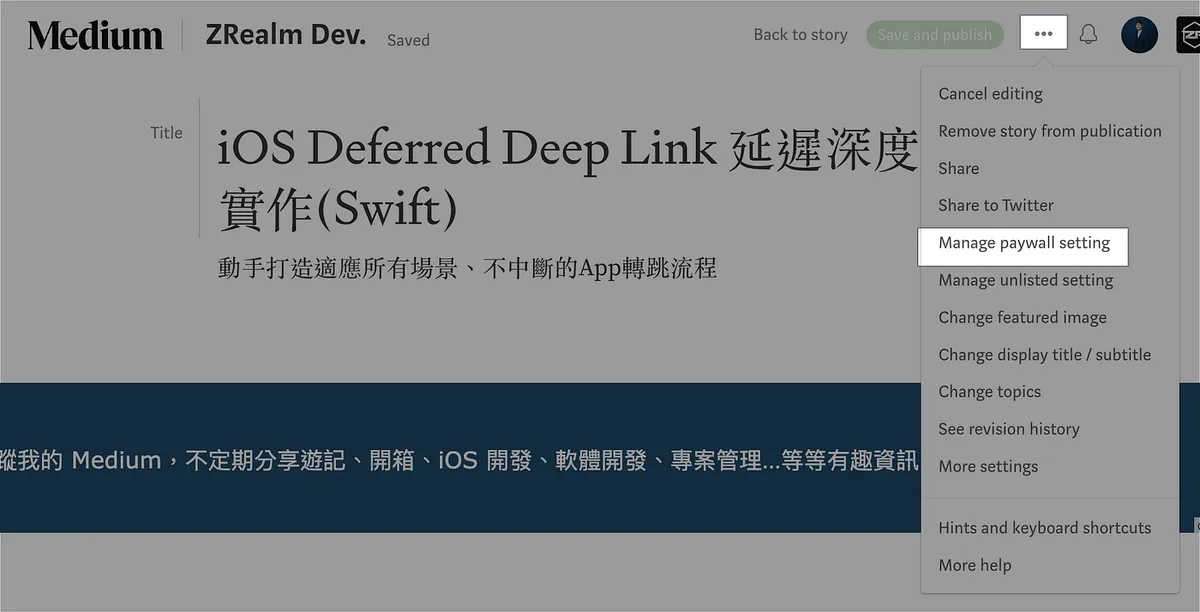
- Article Editing -> “Manage paywall setting”
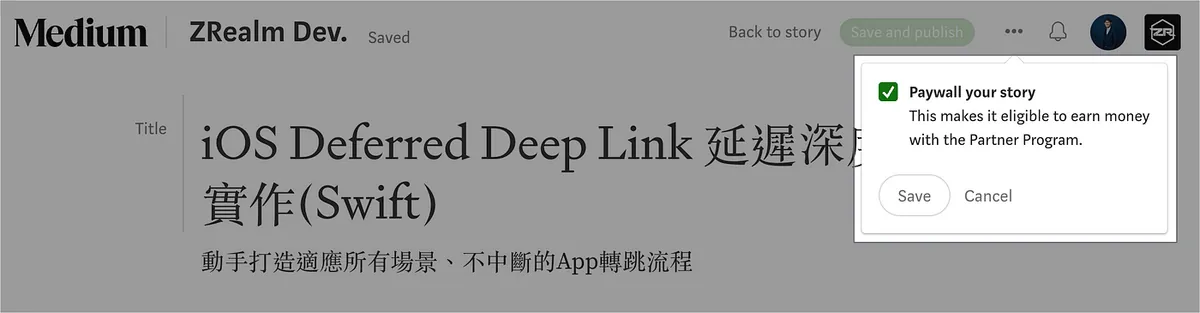
Check “Paywall your story” -> “Save”
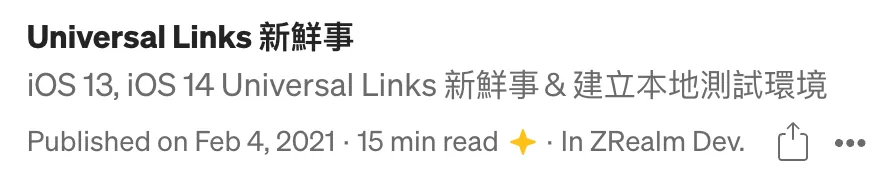
Articles participating in revenue sharing will have a ⭐️.
This way, the article will generate revenue sharing.
Free Viewing Link
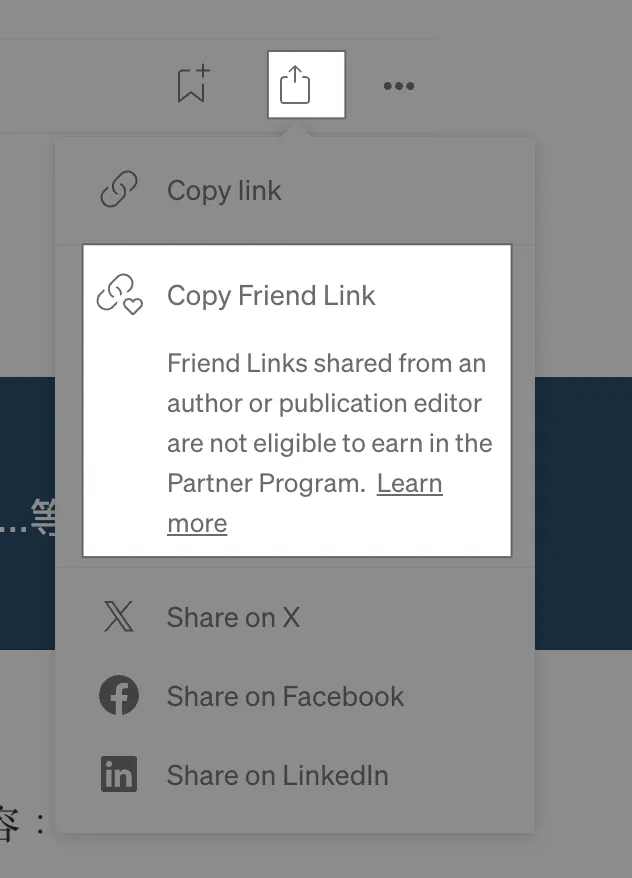
- If you want to let a friend view the full article for free, you can choose “Copy Friend Link” from Share. This link allows free full access but will not generate any earnings.
View Performance Report
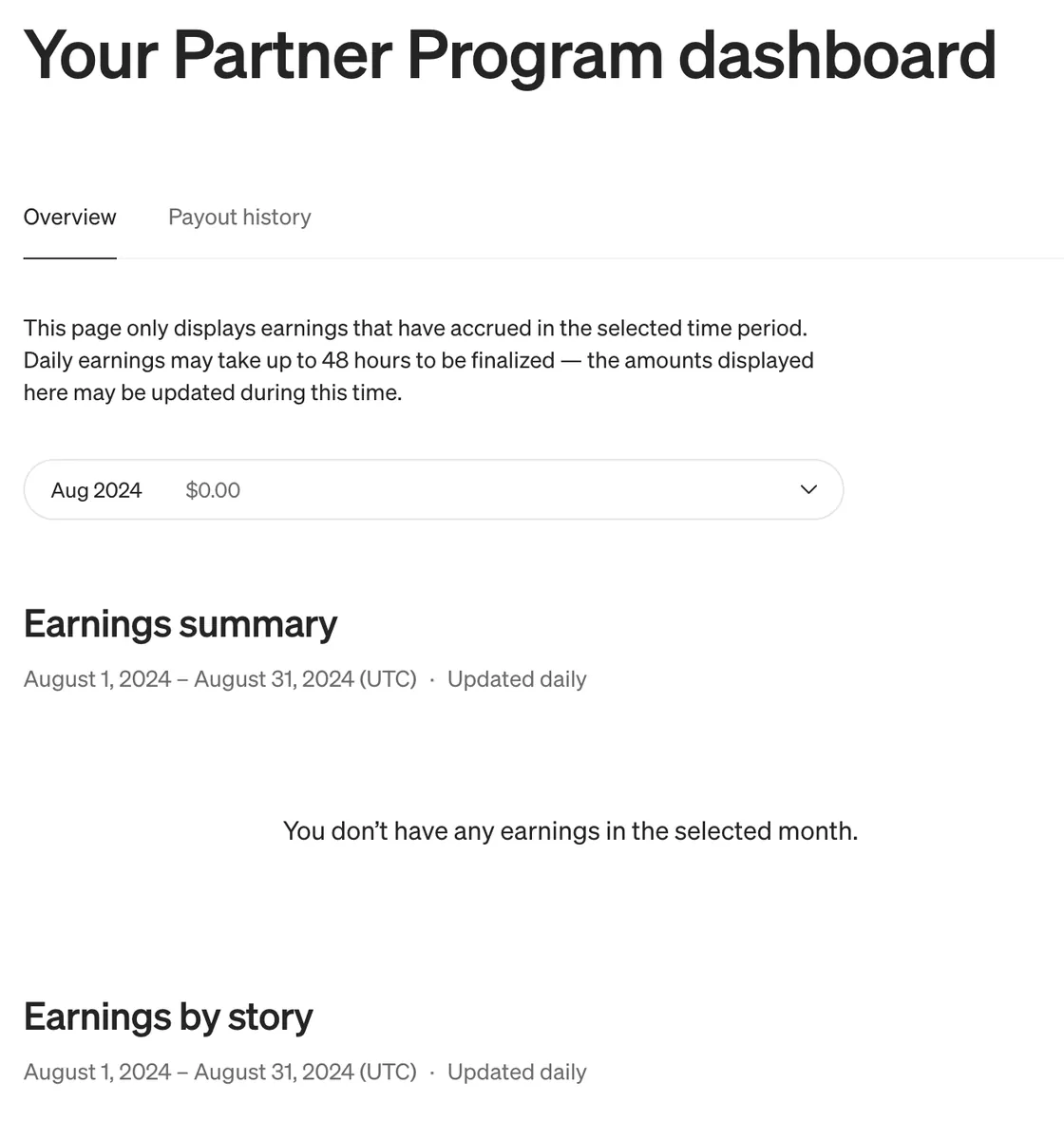
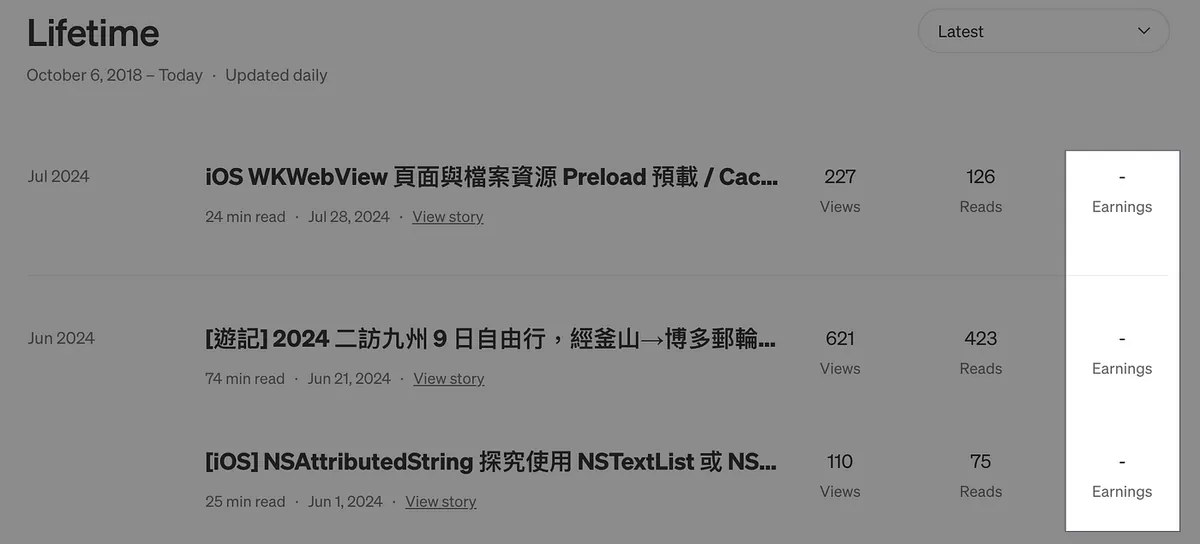
https://medium.com/me/partner/dashboard
Medium Partner Dashboard or Story Stats will now show the Earnings amount.
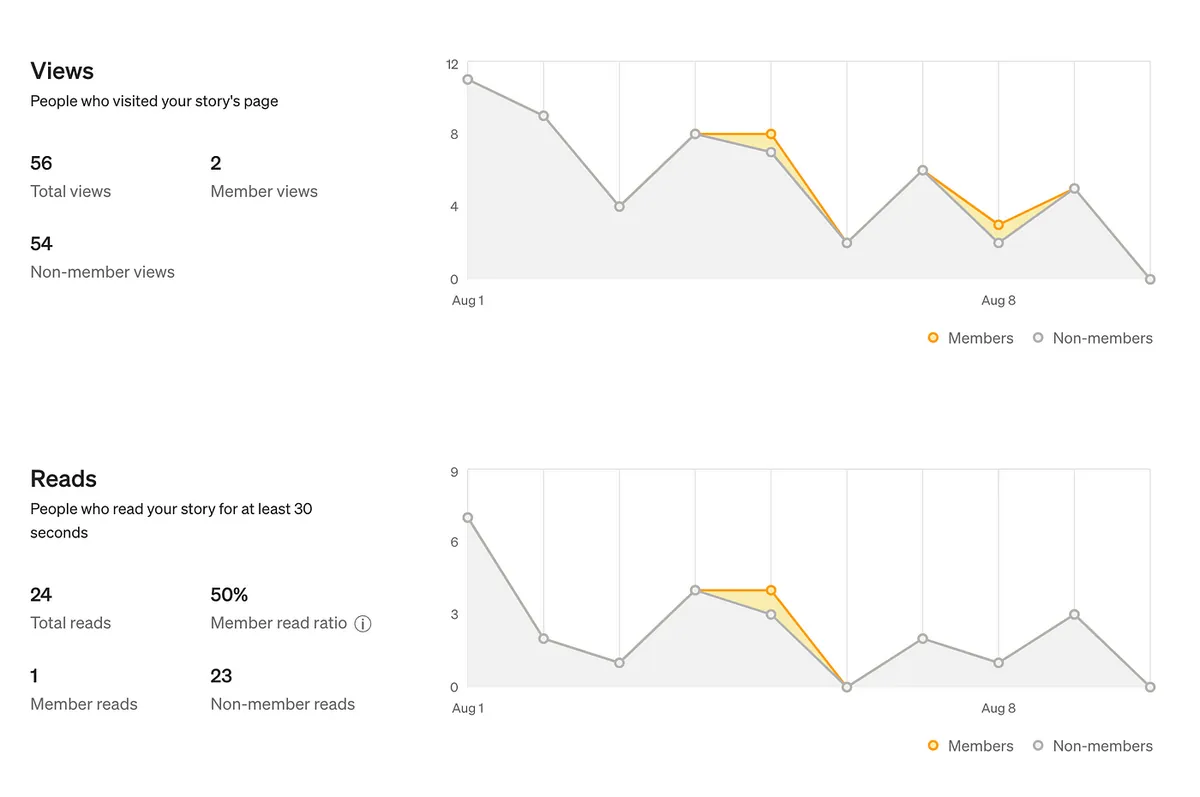
The detailed article report will also show how many paying members have read it.
Results of This Article
This article was behind a Paywall from the moment it was published (now removed). Here is a summary of the results after one month.
$0.90
Earnings
201
Views
82
Reads
41%
Read ratio
Observing that only the number of Reads (paid users staying to read over 30 seconds) generates revenue, the payout amount is not fixed. It seems to be allocated based on views, claps, shares, etc. My counts are low, so each Read earns about $0.01 to $0.07.
The above data is provided for your reference.
Medium Custom Domain Promotion
You can follow the steps in the article above to register your own domain and link it to Medium. Result: from https://medium.com/@zhgchgli -> https://blog.zhgchg.li
If you have any questions or feedback, feel free to contact me.

This post was originally published on Medium (View original post), and automatically converted and synced by ZMediumToMarkdown.