
Disclosing a clever website vulnerability discovered a few years ago
Website Security Issues Caused by Multiple Combined Vulnerabilities

Photo by Tarik Haiga
Introduction
A few years ago, while still supporting web development, I was assigned to organize a CTF competition for the company’s internal engineering team. Initially, I planned to divide teams by company products for attack and defense challenges. But as the organizer, I wanted to first understand the skill level, so I conducted penetration tests on the company’s products myself to find vulnerabilities and ensure the event would run smoothly.
Due to limited competition time and significant differences between engineering fields, the final questions focused on common engineering fundamentals and interesting topics. Interested readers can refer to my previous article “How to Create a Fun Engineering CTF Competition” which includes many creative challenges!
Found Vulnerabilities
A total of four vulnerabilities were found across three products. Besides the issues discussed in this article, I also discovered the following three common website vulnerabilities:
-
Never Trust The Client!
The issue is basic: the frontend sends the ID directly to the backend, and the backend accepts it as is. This should be changed to accept a Token instead. -
Password Reset Design Flaws
I actually forgot the details, only remember that there was a programming design flaw; it allowed bypassing the email verification step during password reset. -
XSS Issue
-
The Vulnerability Introduced in This Article
All testing was done using black-box methods. The only product in which XSS issues were found is one I participated in developing; for the others, I neither worked on them nor have seen their code.
Current Vulnerability Status
As a white-hat hacker, all issues found were reported to the engineering team and fixed immediately; now that two years have passed, I think it’s time to make this public. However, out of respect for my former company, this article will not mention which product had the vulnerability. Please just refer to the discovery process and causes of this vulnerability!
Consequences of the Vulnerability
This vulnerability allows attackers to freely change the target user’s password and log in to the target account with the new password, stealing personal data and conducting illegal activities.
Root Cause of the Vulnerability
As stated in the title, this vulnerability is triggered by a combination of multiple factors, including:
-
Account login does not support two-factor authentication or device binding
-
Password reset verification uses serial numbers
-
Website data encryption feature has a decryption vulnerability
-
Misuse of encryption and decryption functions
-
Token design flaws
-
No secondary validation of field correctness on the backend
-
User email addresses are public information on the platform
How to Reproduce the Vulnerability
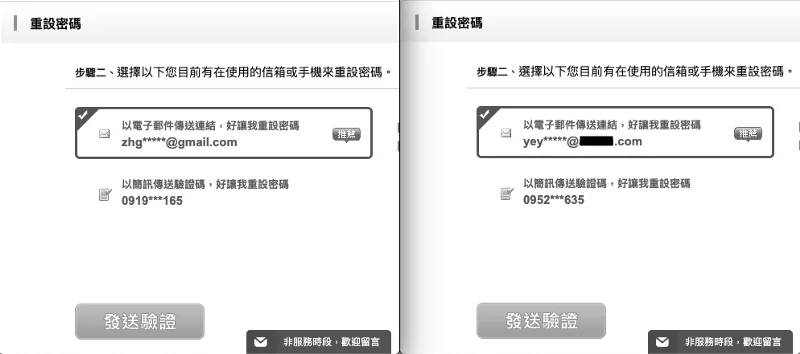
Since user email addresses are public information on the platform, we first browse the target account on the platform; after obtaining the email, we proceed to the password reset page.
-
First, enter your own email to start the password reset process.
-
Enter the email of the target account, then continue with the password reset process as normal.
Both actions will send a password reset verification email.
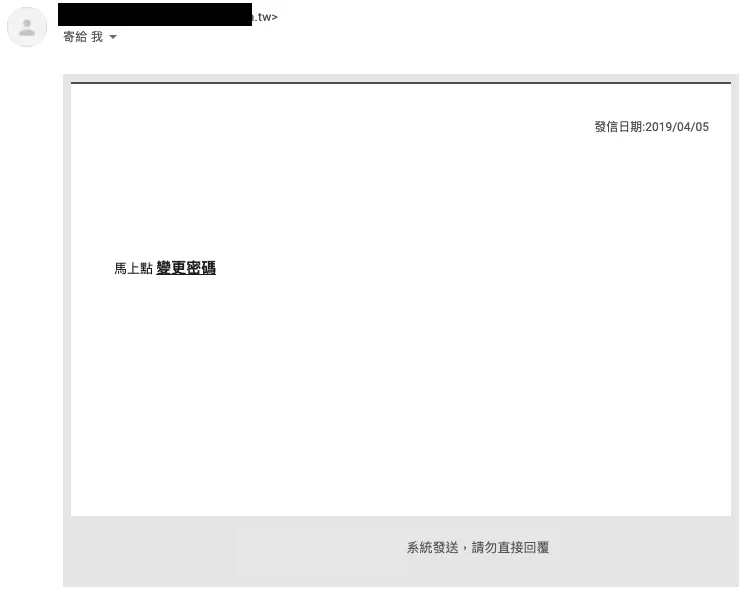
Go to your own inbox to retrieve the password reset verification email sent to yourself.
Change the password reset link to the following URL format:
https://zhgchg.li/resetPassword.php?auth=PvrrbQWBGDQ3LeSBByd
PvrrbQWBGDQ3LeSBByd is the verification token used for this password reset operation.
But when I observed the captcha image on the website, I found that the captcha image link format was also similar:
https://zhgchg.li/captchaImage.php?auth=6EqfSZLqDc

6EqfSZLqDc shows 5136.
What happens if we put our password reset token in? Who cares! Let’s try it!

Bingo!
But the captcha image is too small to get complete information.
We continue to look for exploitable points…
The website displays users’ public email addresses as images to prevent crawler attacks. Keywords: images! images! images!
Open it immediately to take a look:
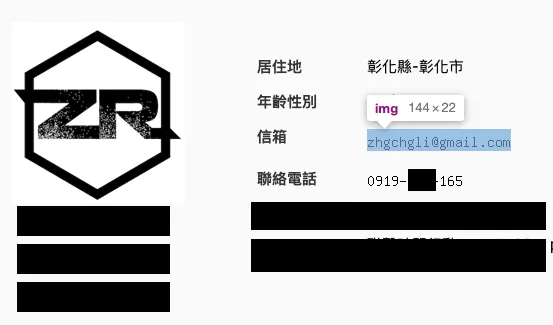
Personal Information Page

Part of the webpage source code
We also obtained similar URL format results:
https://zhgchg.li/mailImage.php?mail=V3sDblZgDGdUOOBlBjpRblMTDGwMbwFmUT10bFN6DDlVbAVt
V3sDblZgDGdUOOBlBjpRblMTDGwMbwFmUT10bFN6DDlVbAVt displays [email protected]
Just ignore it! Spam it!
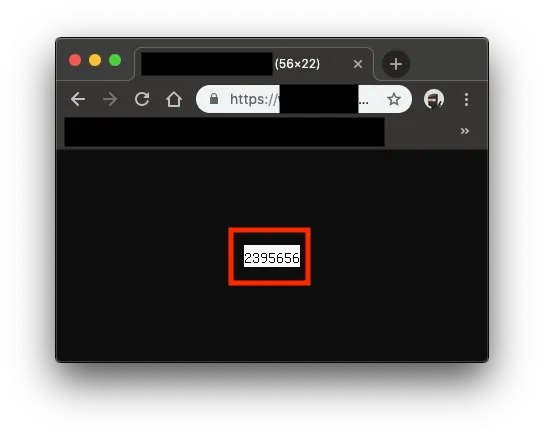
Bingo!🥳🥳🥳
PvrrbQWBGDQ3LeSBByd=2395656
After Reverse-Engineering the Password Reset Token and Discovering It Is Numeric
I thought, could it be a serial number…
Then I entered the email again to request a password reset, decrypted the Token from the new email, and got 2395657 … what the fxck… it really is.
Once you know it’s a sequential number, things become easier. That’s why the initial step is to request a password reset email for your own account first, then request the target’s; because you can already predict the next password reset ID.
Next, you just need to find a way to convert
2395657back to the Token!
Coincidentally, I found another issue
The website only validates the email format on the frontend when editing data; the backend does not re-validate the format…
After bypassing the front-end validation, change the email to the next target.
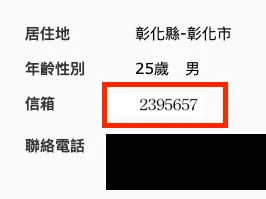

Fire in the hole!
We obtained:
https://zhgchg.li/mailImage.php?mail=UTVRZwZuDjMNPLZhBGI
At this point, bring the password reset token back to the password reset page:
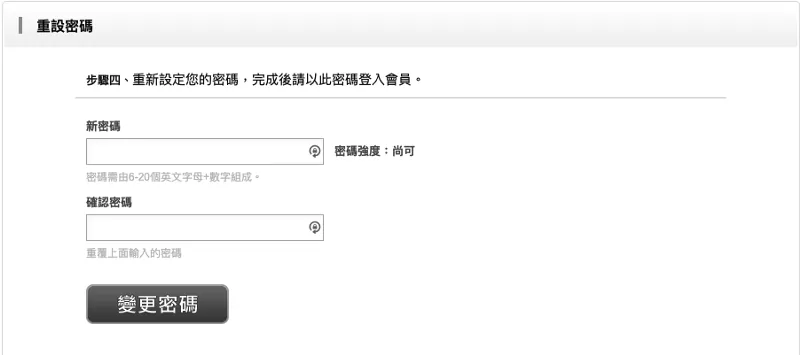
Successful intrusion! Bypassed verification to reset someone else’s password!
Finally, because there was no two-factor authentication or device binding feature, the password could be overwritten and the account accessed directly.
The Cause
Reorganize the entire process of the incident.
-
At first, we wanted to reset the password but found that the reset token was actually a serial number, not a true unique identifier token.
-
The website abuses encryption and decryption functions without distinguishing their use; almost the entire site uses the same key.
-
The website has an online arbitrary encryption and decryption endpoint (equivalent to key exposure).
-
No secondary verification of user input on the backend
-
No two-factor login protection or device binding features
Fix Method
-
At the core, the password reset token should be a randomly generated unique identifier token.
-
For the website’s encryption and decryption, different keys should be used for different functions.
-
Prevent external parties from arbitrarily performing data encryption and decryption operations.
-
The backend should validate user input.
-
Add two-factor authentication and device binding as a precaution.
Summary
The entire process of discovering the vulnerability surprised me because many issues stemmed from basic design flaws. Although each function seemed to work and small gaps appeared relatively safe on their own, combining multiple holes created a major security risk. Developers really need to be careful and meticulous.

Comments