iOS tintAdjustmentMode 屬性詳解|解決 UIAlertController 導致 tintColor 失效問題
iOS 開發者遇到 UIAlertController 呈現時 Image Assets tintColor 失效,透過調整 tintAdjustmentMode 屬性保持 icon 顏色一致,避免系統自動切換為灰色模式,提升 UI 穩定性與一致性。
基於 SEO 考量,本文標題與描述經 AI 調整,原始版本請參考內文。
文章目錄
iOS tintAdjustmentMode 屬性
Present UIAlertController 時本頁上的 Image Assets (Render as template) .tintColor 設定失效問題
問題修正前後比較
ㄧ樣不囉唆解釋,直接上比較圖.
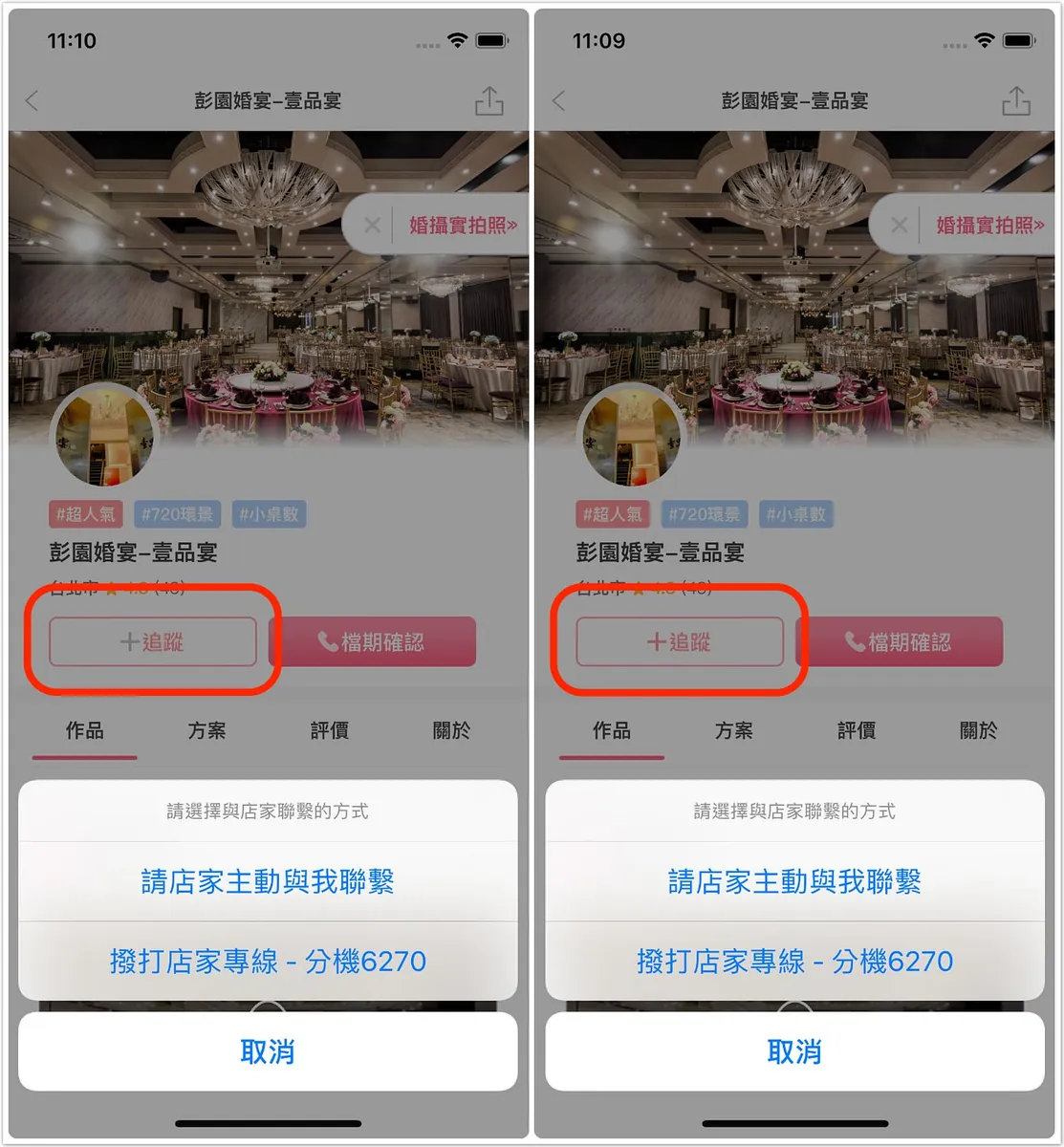
左修正前/右修正後
可以看到左方ICON圖在有Present UIAlertController時tintColor顏色設定失效,另外當Present的視窗關閉後就會恢復顏色設定顯示正常.
問題修正
首先介紹一下 tintAdjustmentMode 的屬性設置,此屬性控制了 tintColor 的顯示模式,此屬性有三個枚舉可設定:
- .Automatic :視圖的 tintAdjustmentMode 與包覆的父視圖設定一致
- .Normal : 預設模式 ,正常顯示設定的 tintColor
- .Dimmed :將 tintColor 改為低飽和度、暗淡的顏色(就是灰色啦!)
上述問題不是什麼BUG而是系統本身機制即是如此:
在Present UIAlertController時會將本頁Root ViewController上View的 tintAdjustmentMode 改為 Dimmed (所以準確來說也不叫顏色設定「失效」,只是 tintAdjustmentMode 模式更改)
但有時我們希望ICON顏色能保持ㄧ致則只需在UIView中tintColorDidChange事件保持tintAdjustmentMode設定ㄧ致:
1
2
3
4
5
extension UIButton {
   override func tintColorDidChange() {
        self.tintAdjustmentMode = .normal //永遠保持normal
    }
}
extension example
結束!
不是什麼大問題,不改也沒差,但就是礙眼
其實每一個頁面遇到present UIAlertController、action sheet、popover…都會將本頁view的tintAdjustmentMode改為灰色,但我在這個頁面才發現
查找了一陣子資料才發現跟這個屬性有關係,設定之後就解決我的小疑惑.
有任何問題及指教歡迎 與我聯絡 。
本文首次發表於 Medium (點此查看原始版本),由 ZMediumToMarkdown 提供自動轉換與同步技術。